
Audit Overview
Your store's untapped revenue potential — and how to unlock it
Why We Created This Audit
We analyzed https://underneat.in the same way we've audited 350+ e-commerce stores — looking for the specific gaps between your current experience and what top-performing Fashion & Apparel stores deliver. Every finding in this report is a revenue opportunity backed by industry data and competitive benchmarks.
What We Analyzed
- UX & Conversion Design16 findings
- Performance & Speedvs 4 competitors
- Technology & App StackPlatform + 12 apps
- Industry BenchmarksFashion & Apparel
Pages Analyzed
- Homepage4 findings
- Collection Pages1 findings
- Product Pages (PDP)8 findings
- Cart & Checkout3 findings
 This audit was prepared by Growisto — a CRO-led Website development team behind 167% conversion growth for Atomberg, 46% CR lift for TyresNmore, and 350+ e-commerce projects.
UX & Conversion Findings
Page-by-page analysis with visual comparisons against top Fashion & Apparel stores
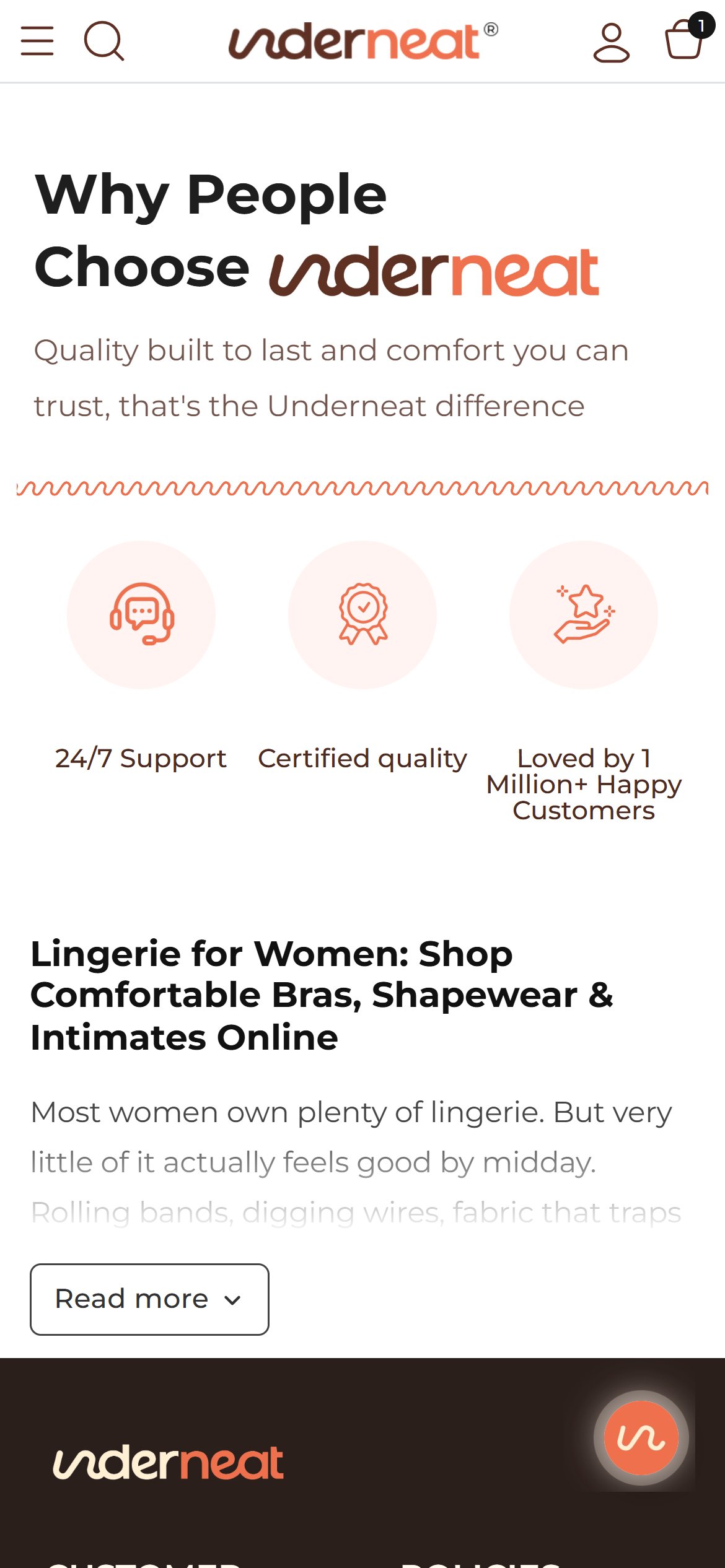
- The homepage's trust section ('Why People Choose Underneat') is three icons — round-the-clock Support, Certified quality, Loved by 1 Million+ Happy Customers — with no customer names, photos or quotes.
- There is no review carousel, testimonial block, press strip or marketplace rating anywhere on the homepage; the only proof is star ratings on individual product cards.
- Underneat already has the raw material: the strapless butt lifting bodysuit alone carries 2,684 Nector reviews at 4.7 stars, yet none of that voice reaches first-time visitors.
- Add a 'Real women, real fit' review carousel to the homepage pulling top Nector reviews with first name, size bought and star rating.
- Lead with fit-specific quotes (no rolling, invisible under clothes) because fit anxiety is the main barrier in shapewear.
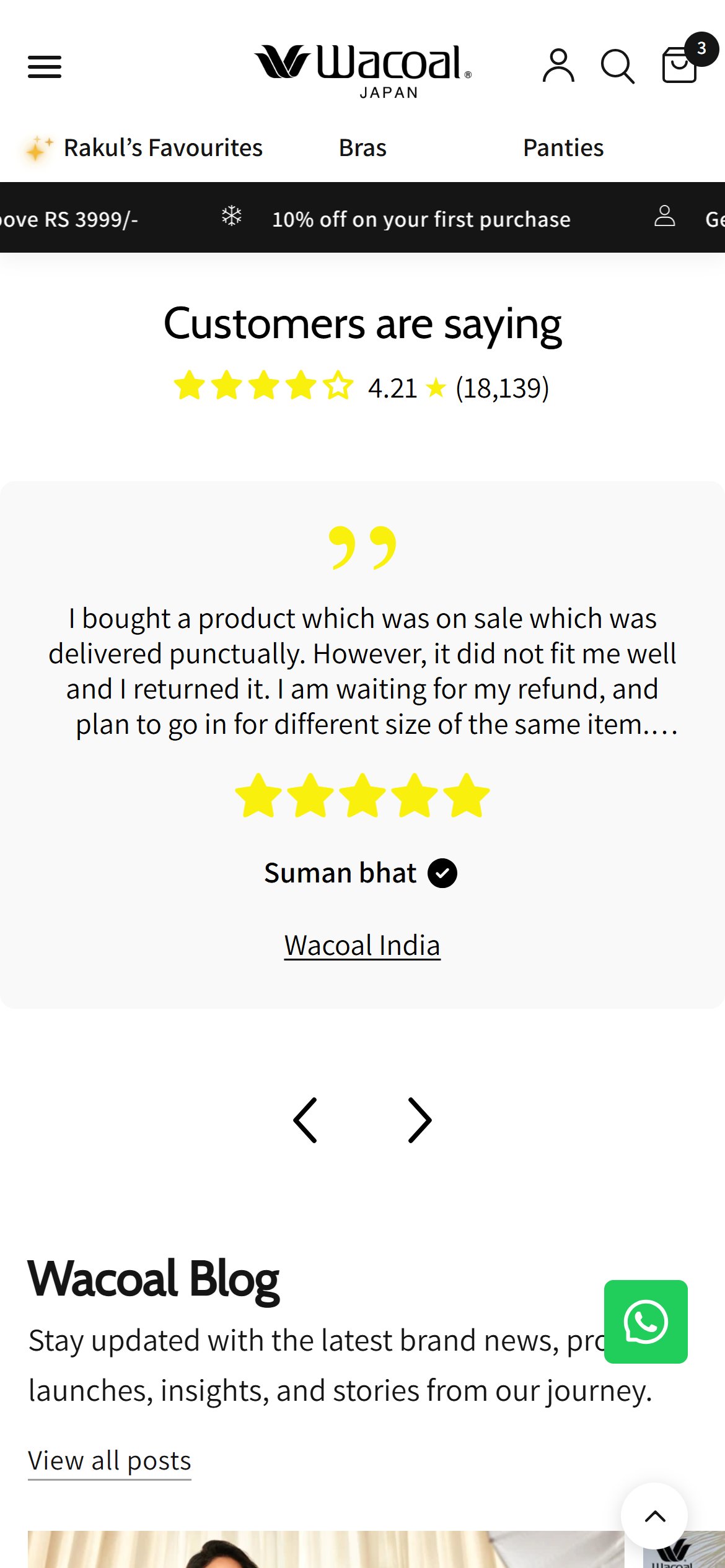
- Competitors already give customer reviews a dedicated homepage section.
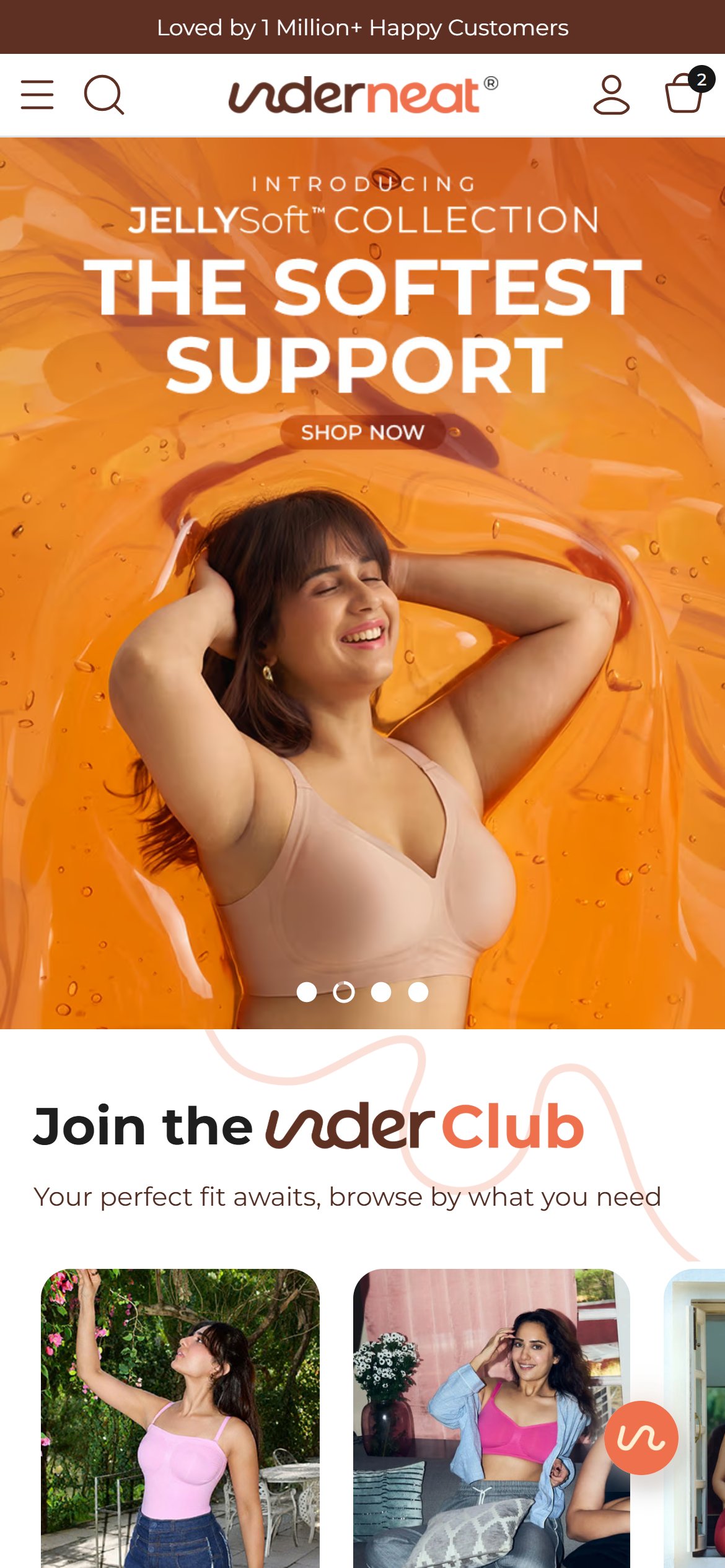

- The announcement bar on every page carries a single static line, 'Loved by 1 Million+ Happy Customers' — no offer, no free-shipping line, no exchange promise.
- The site's only first-order offer — 'Get 11% off for first-time users, use code UN11APP' — is a banner at the top of the hamburger menu with a 'Get App' button, so shoppers who never open the menu never see it; the first screen shows the claim bar and the hero, with no offer.
- Free shipping above ₹1000 is real, but on the homepage it is not stated anywhere a mobile shopper sees without tapping into policy pages or product accordions.
- Turn the announcement bar into a rotating strip: Free shipping above ₹1000 | Easy size exchange | First order: code UN11APP.
- Offer the first-order code on the web as well (top bar or a slim slide-in), instead of only pushing shoppers to download the app.
- Competitors such as Wacoal India already use the top bar to show a concrete offer on the first screen.
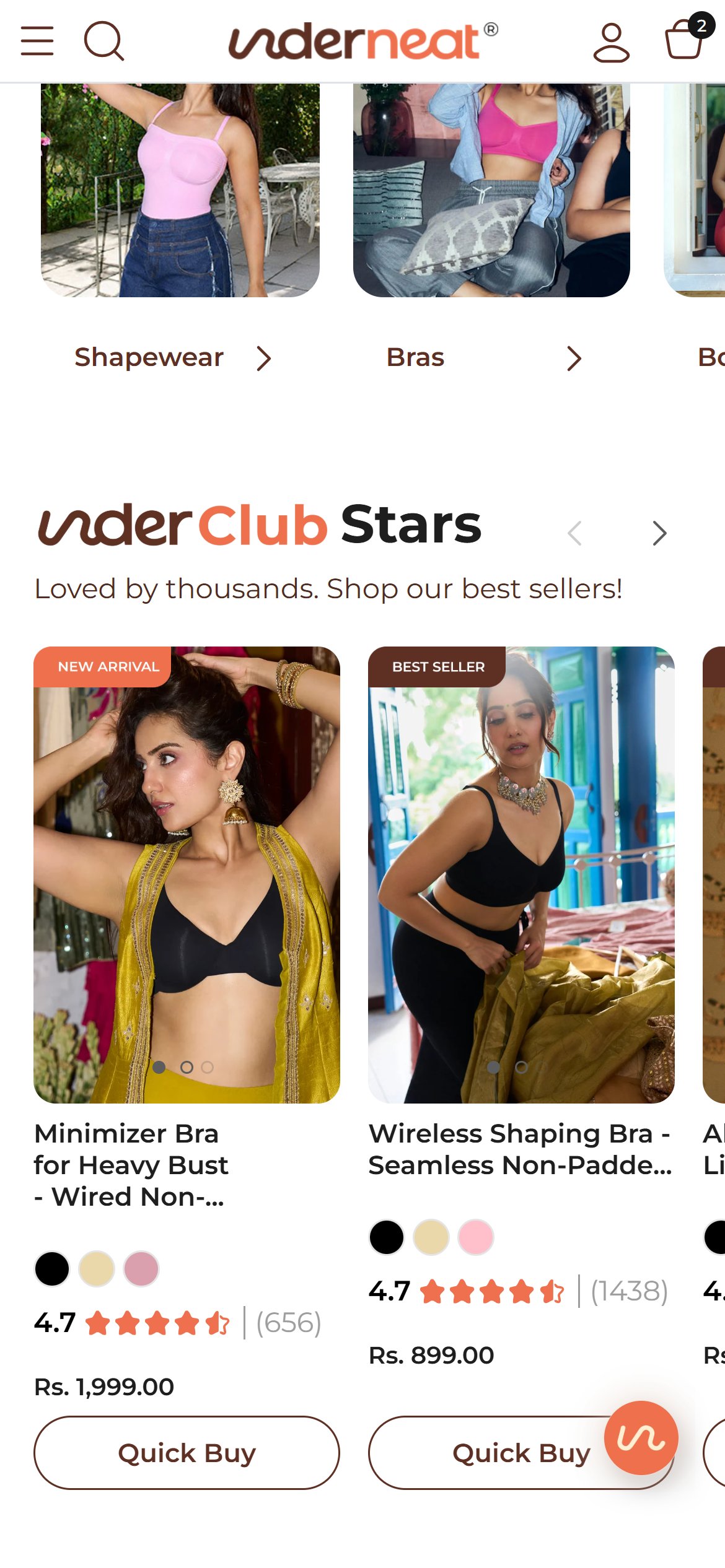
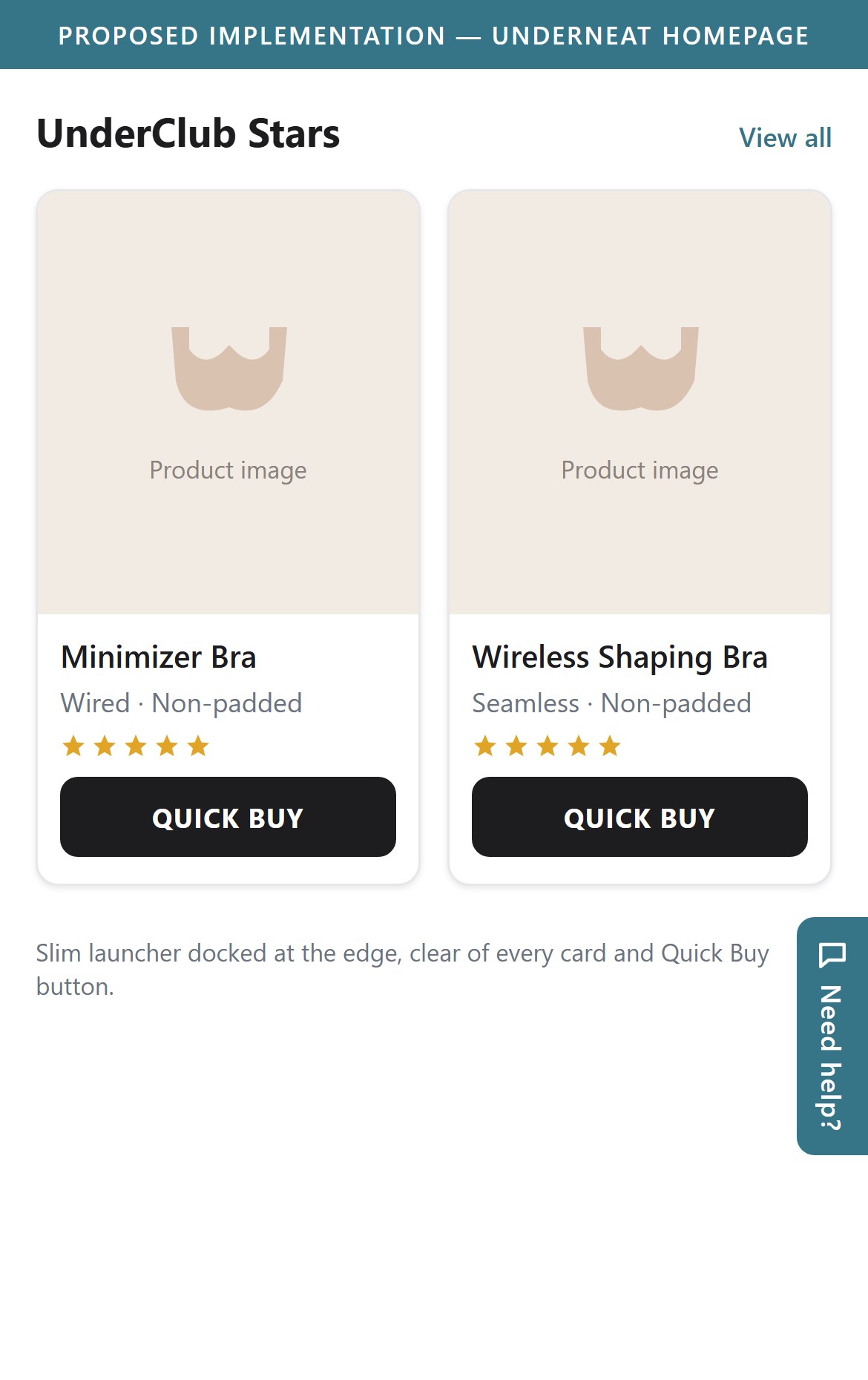
- The Bik chat launcher is a fixed 71px circle that floats over content on every page.
- On the homepage bestseller row it sits on top of a Quick Buy button; on the Shapewear collection it covers the colour swatches and name of a product card; on the bra product page it overlaps the product title.
- Every overlap is on an element shoppers tap to buy, so the bubble competes with the purchase path instead of supporting it.
- Shrink the launcher, dock it to the edge, and hide it while the shopper is scrolling; show it again when scrolling stops.
- Keep it above the sticky Add to Cart bar on product pages so it never covers buttons or swatches.
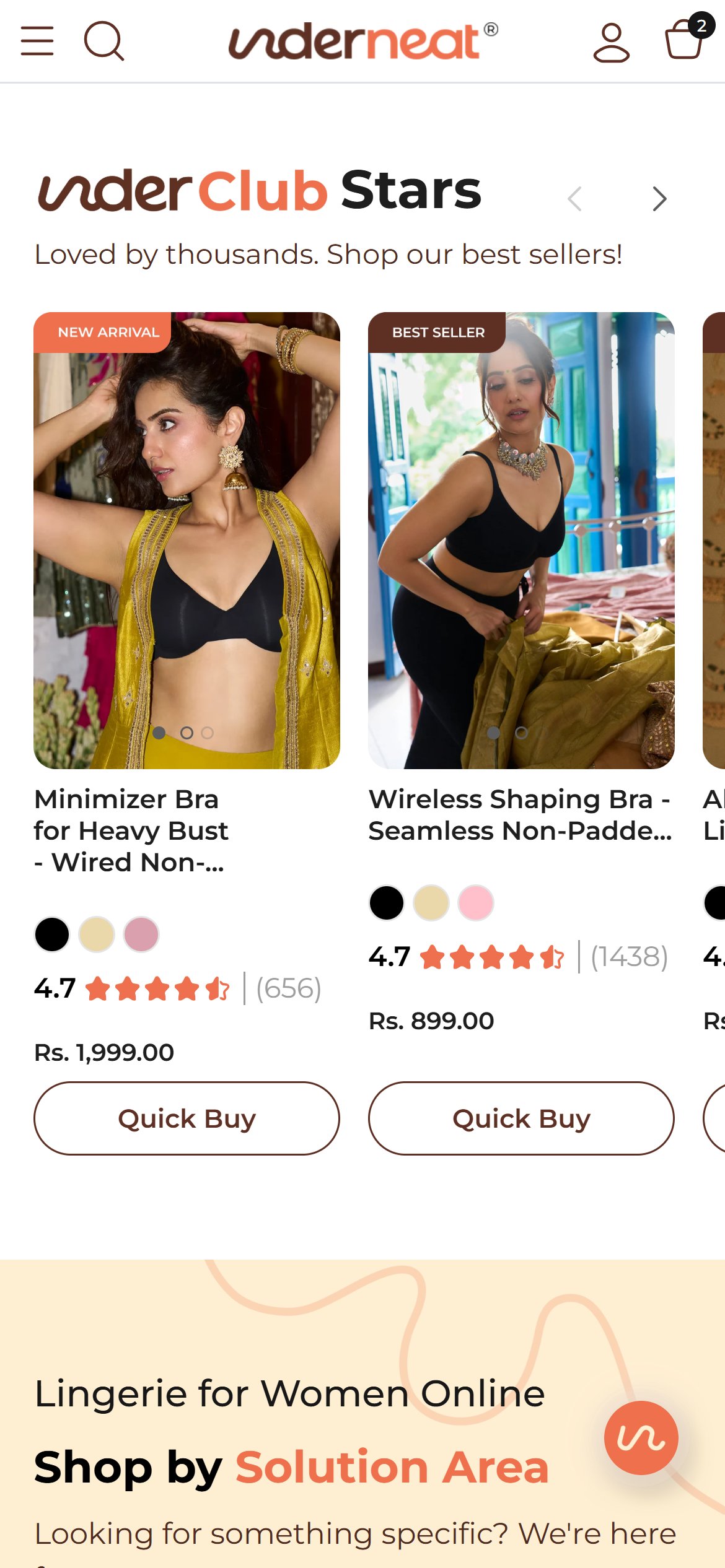
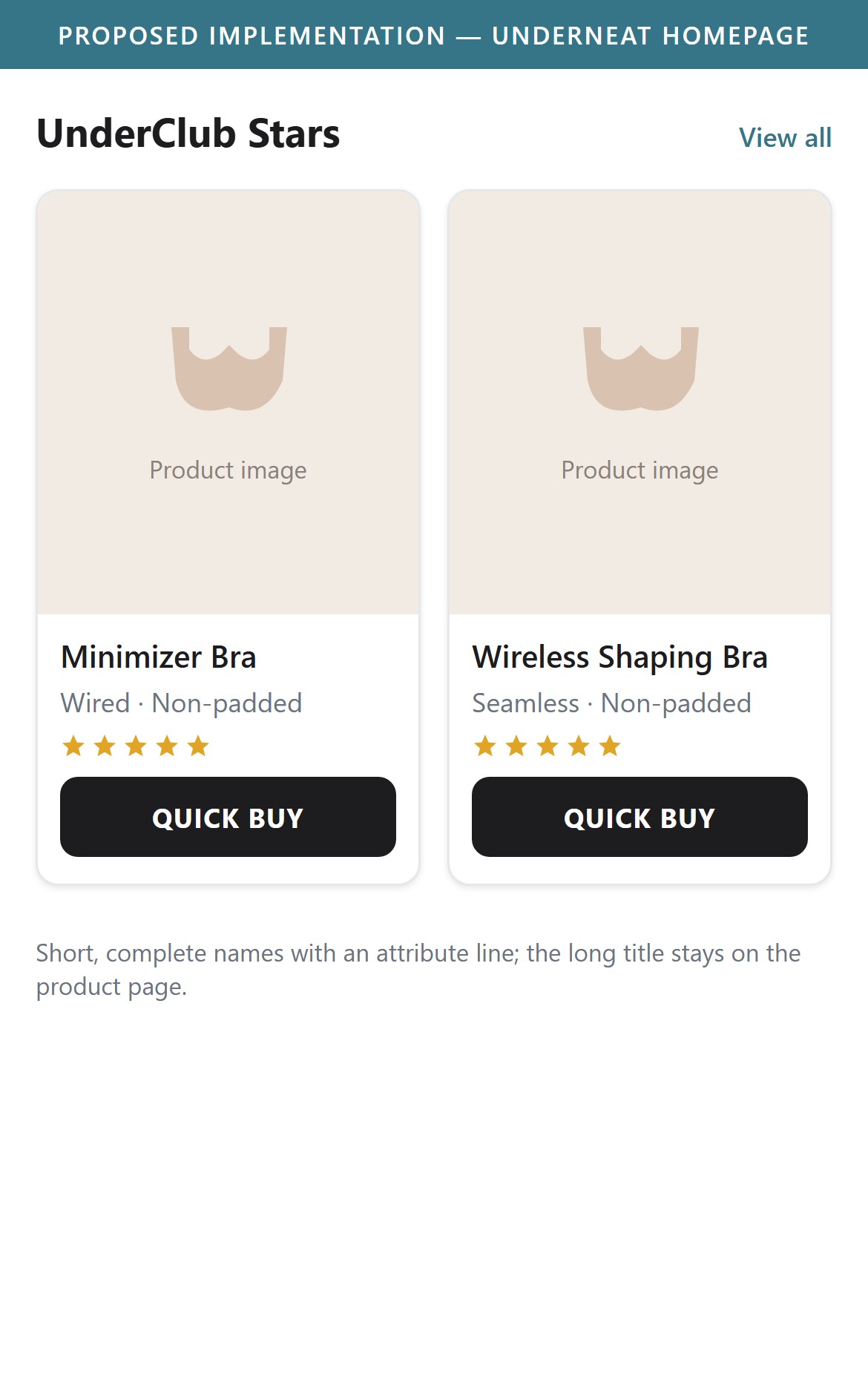
- In the 'UnderClub Stars' bestseller carousel, 4 product names are truncated with '...': Minimizer Bra for Heavy Bust - Wired Non-..., Wireless Shaping Bra - Seamless Non-Padde..., All Day Push Up Bra - Lightly Padded Full..., Padded All Day Bra - Lightly Padded Wirel....
- The cut always falls on the attribute that differentiates the product (padded or non-padded, wired or wireless), which is exactly what a bra shopper scans for.
- Long SEO-style titles are useful on the product page but work against scanning on a two-card mobile carousel.
- Use a short display name on cards (for example 'Minimizer Bra · Wired') and keep the long title for the product page.
- Add a small attribute line under the name (Padded / Wireless / Full coverage) so the key difference is never truncated.
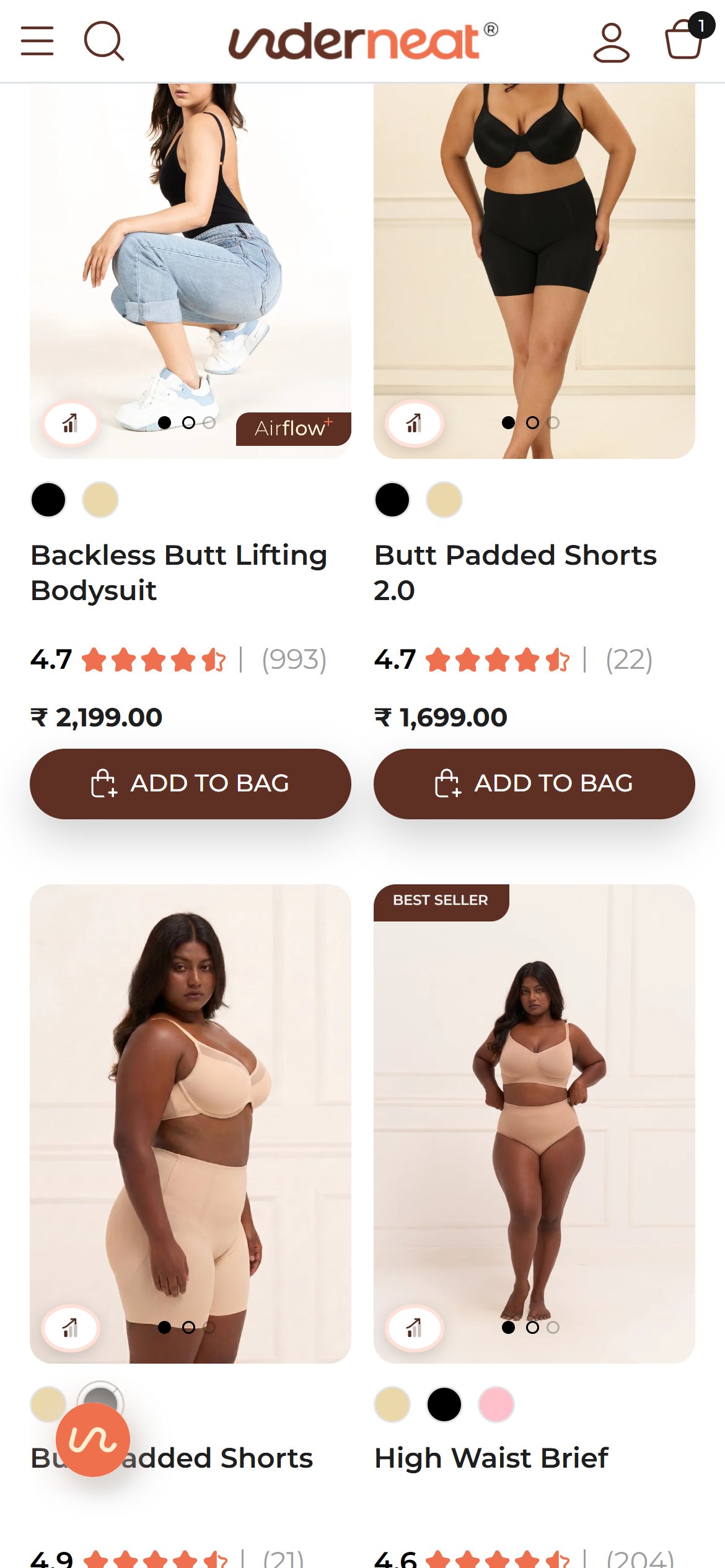
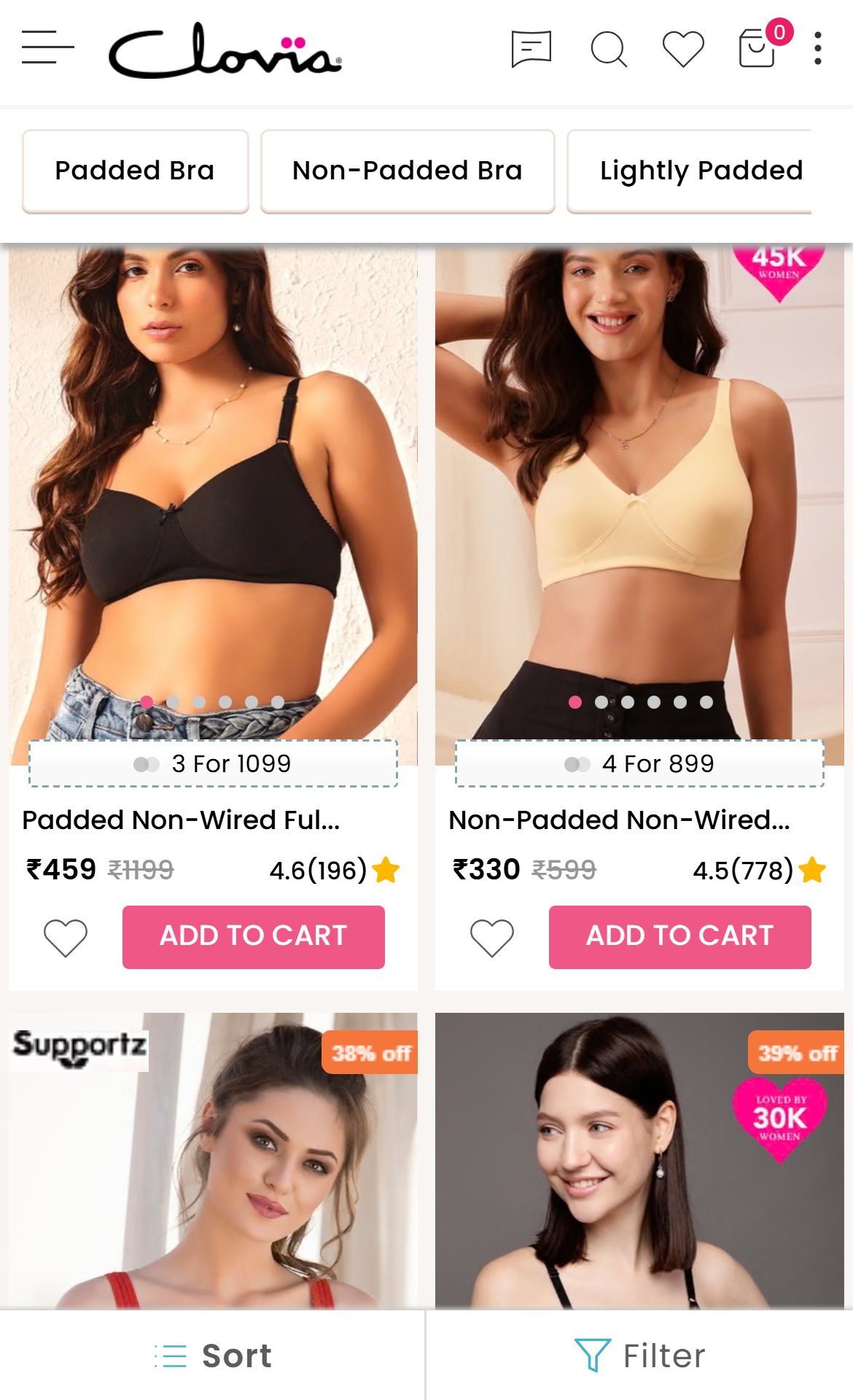
- The Shapewear collection (23 products) has a capable 'All Filters' drawer (price, colour, type, solution area), but it sits only at the top of the grid.
- Once a shopper scrolls into the products only the header stays on screen; to change size, colour or solution area they must scroll all the way back up.
- Shapewear shoppers often narrow by problem area or colour mid-browse, so the extra effort cuts filter use exactly when it would help.
- Pin a slim Sort | Filter bar under the header (or as a floating button) once the shopper scrolls past the first row.
- Show the active filter count on the bar so shoppers can see and clear what is applied.
- Competitors already keep sort and filter controls within reach while scrolling.
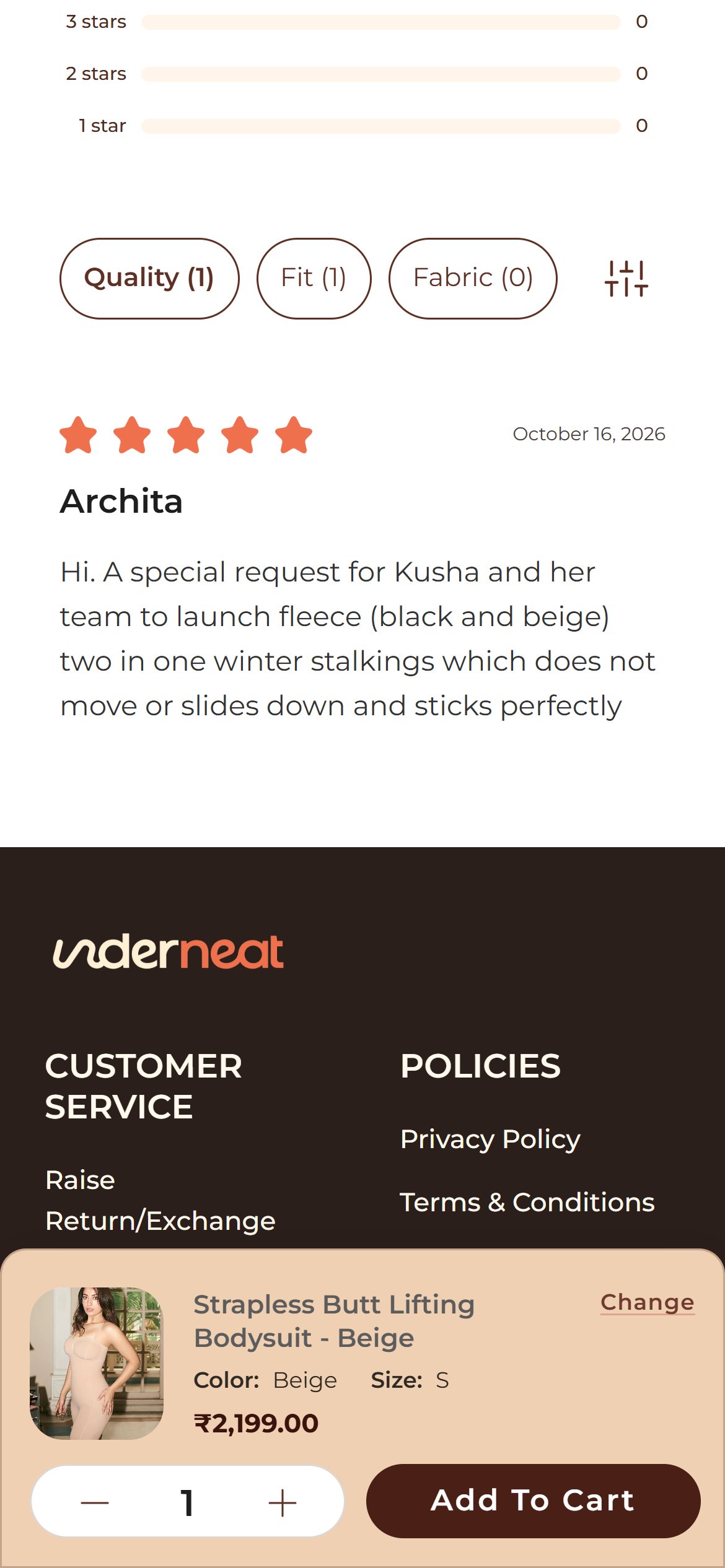
- Scrolling past the reviews on the strapless bodysuit page leads directly into the footer; no Similar Products, You May Also Like or matching-set block appears anywhere on the page.
- Shoppers who like the style but not the colour or cut have no next product to tap, so they must go back to the collection to keep browsing.
- Shapewear is bought as part of a set (bodysuit, shorts, bra), so the page is missing its most natural cross-sell moment.
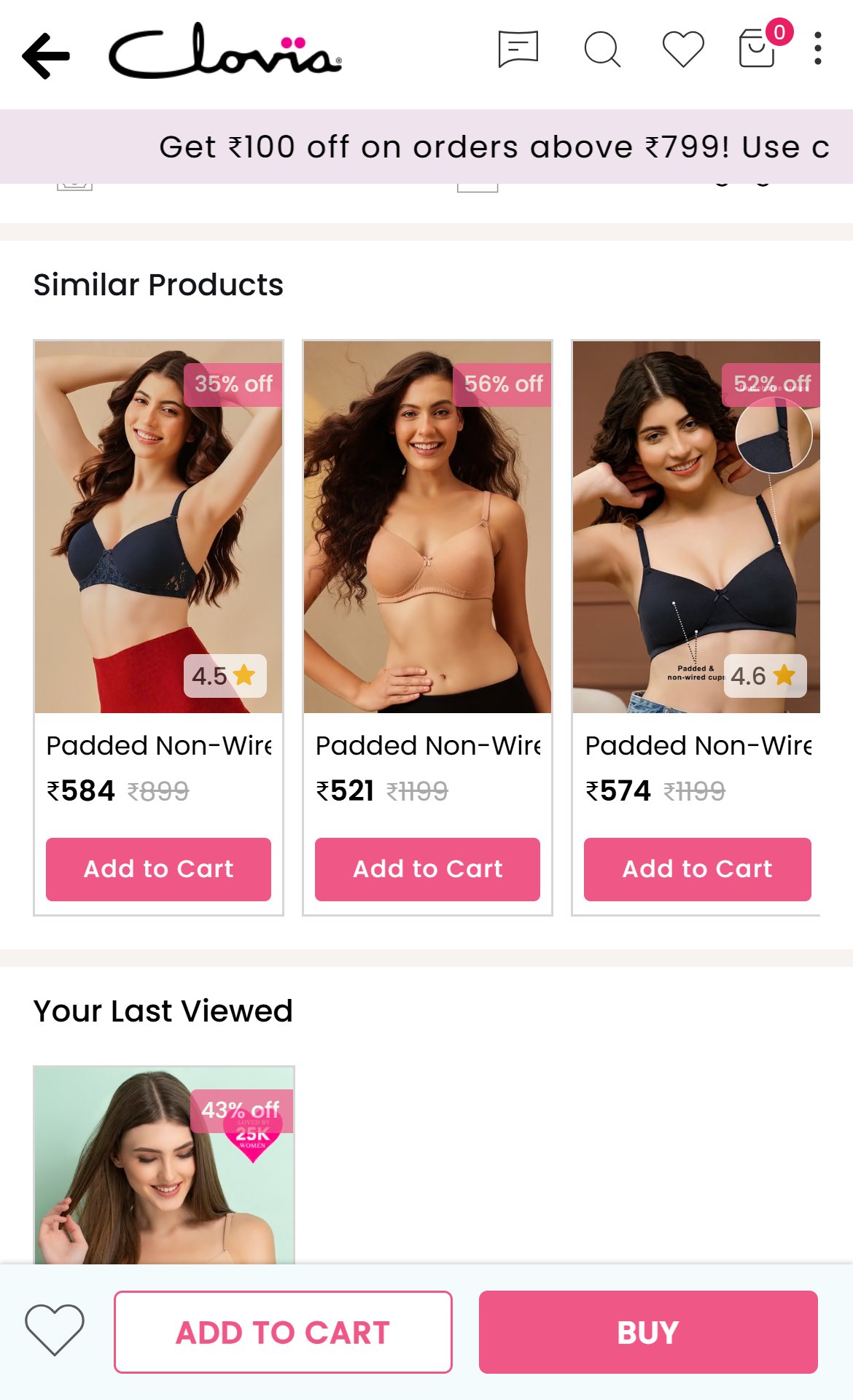
- Add a Complete the Set carousel below the reviews with the matching bra, shorts or bodysuit in the same colour, using Shopify's related-products recommendations so it stays automatic.
- Show colour dots, rating and a quick-add button on each recommended card to keep the browse-to-cart path short.
- Competitors such as Clovia already close their product pages with a Similar Products row of shoppable cards.
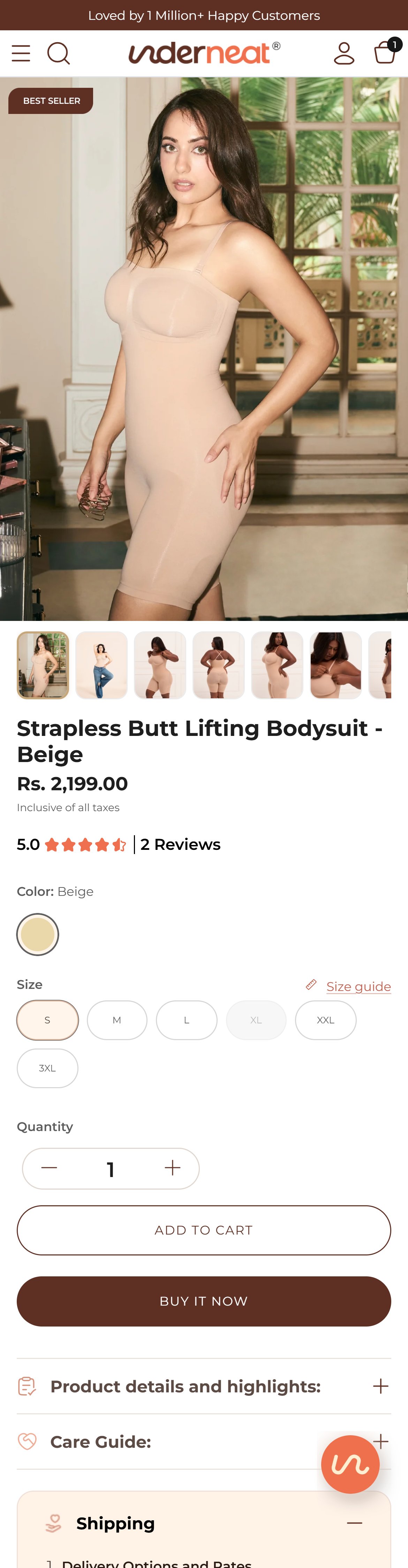
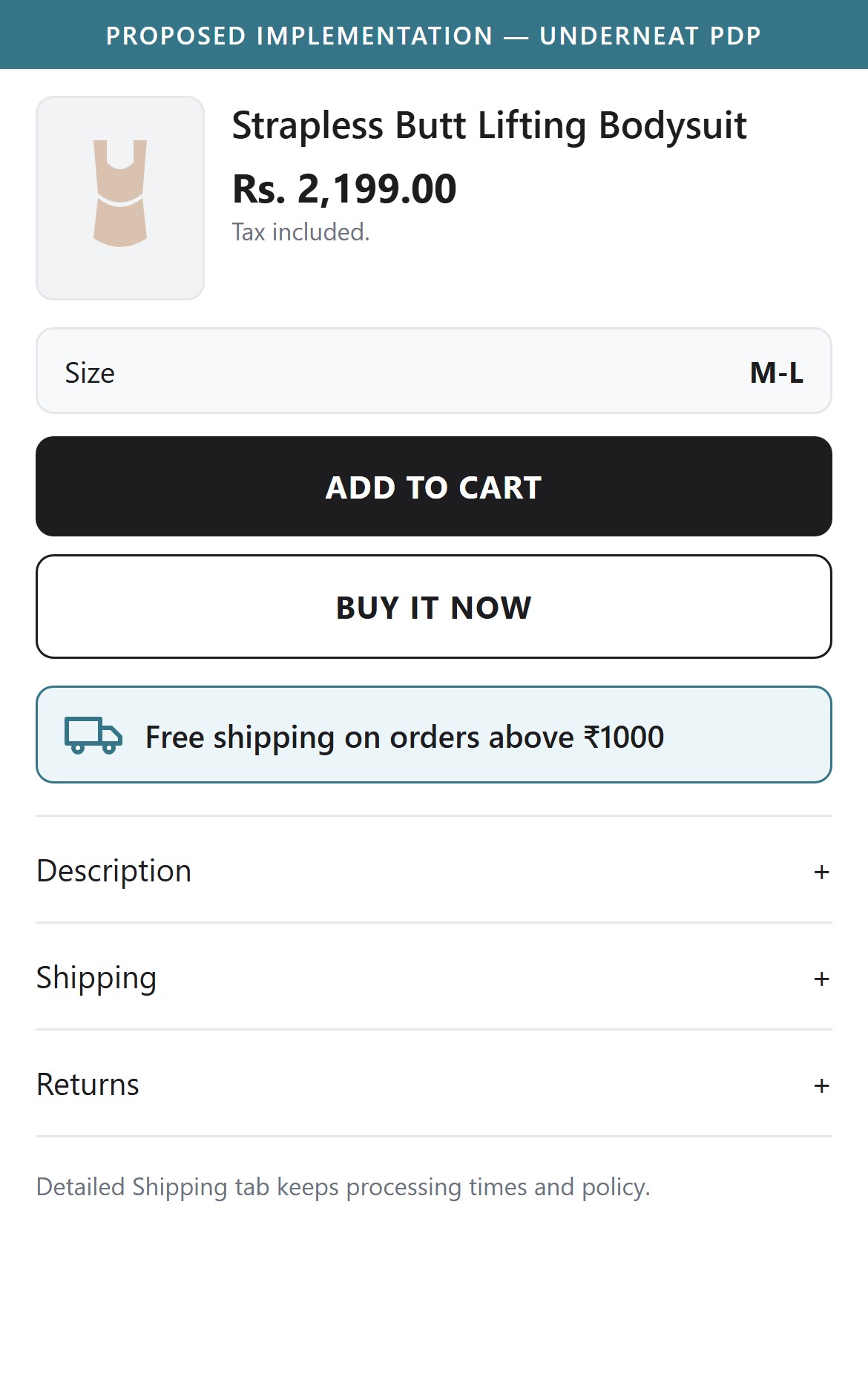
- Near the Add to Cart and Buy It Now buttons there is no delivery or shipping message; the area between the buttons and the accordions is empty.
- The only shipping information is inside the collapsed Shipping tab, which states that domestic orders above ₹1000 ship free, and it must be tapped open to be read.
- Most Underneat products are priced above that threshold, so a large share of shoppers qualify for free shipping without ever being told.
- Add a one-line Free shipping on orders above ₹1000 message with a truck icon directly under the Add to Cart buttons.
- Keep the detailed Shipping tab for processing times and policy, but lead with the offer where the purchase decision is made.
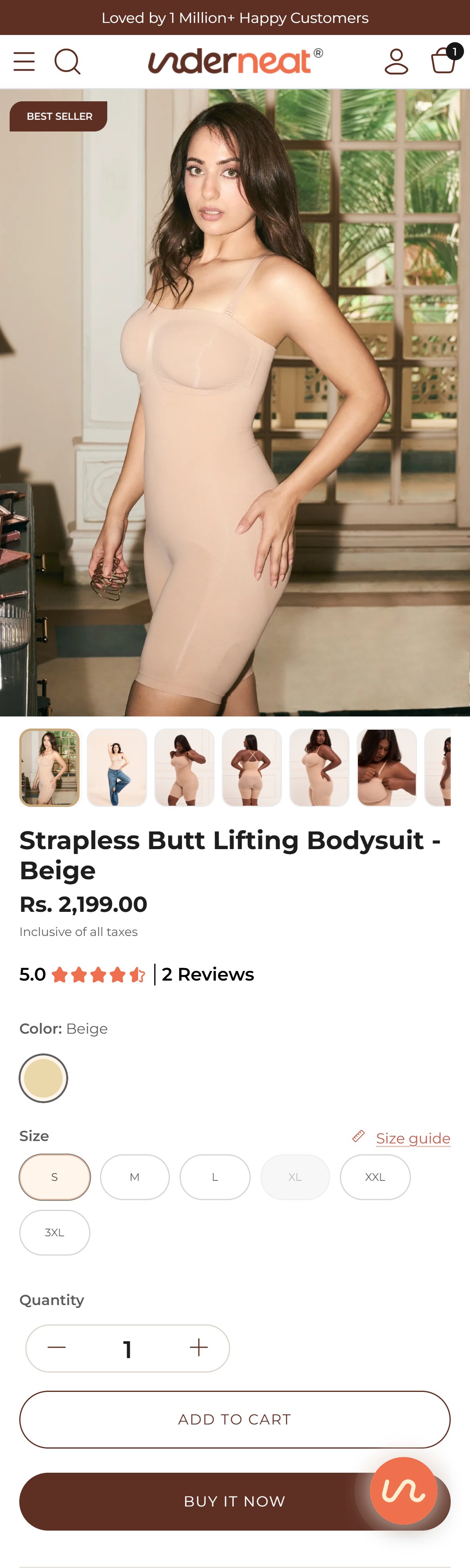
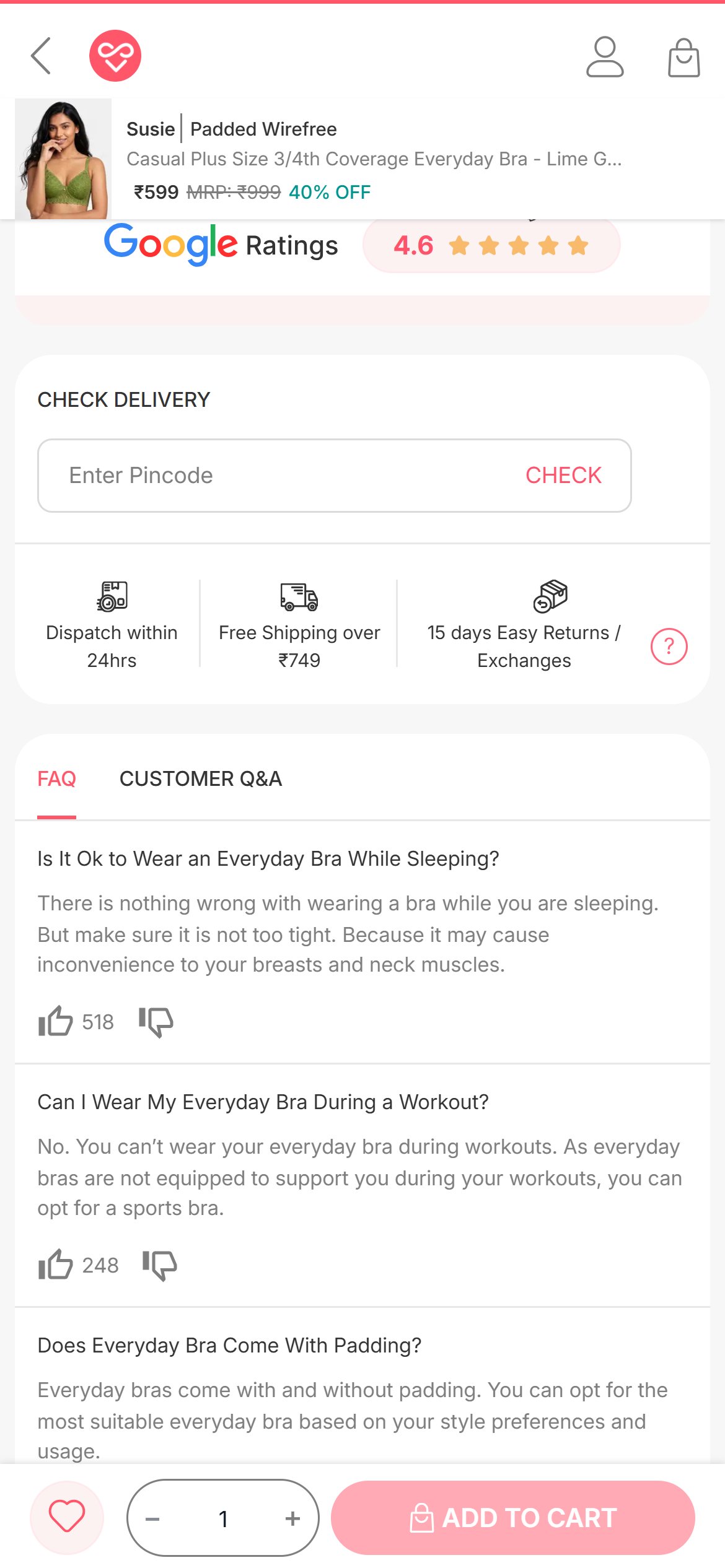
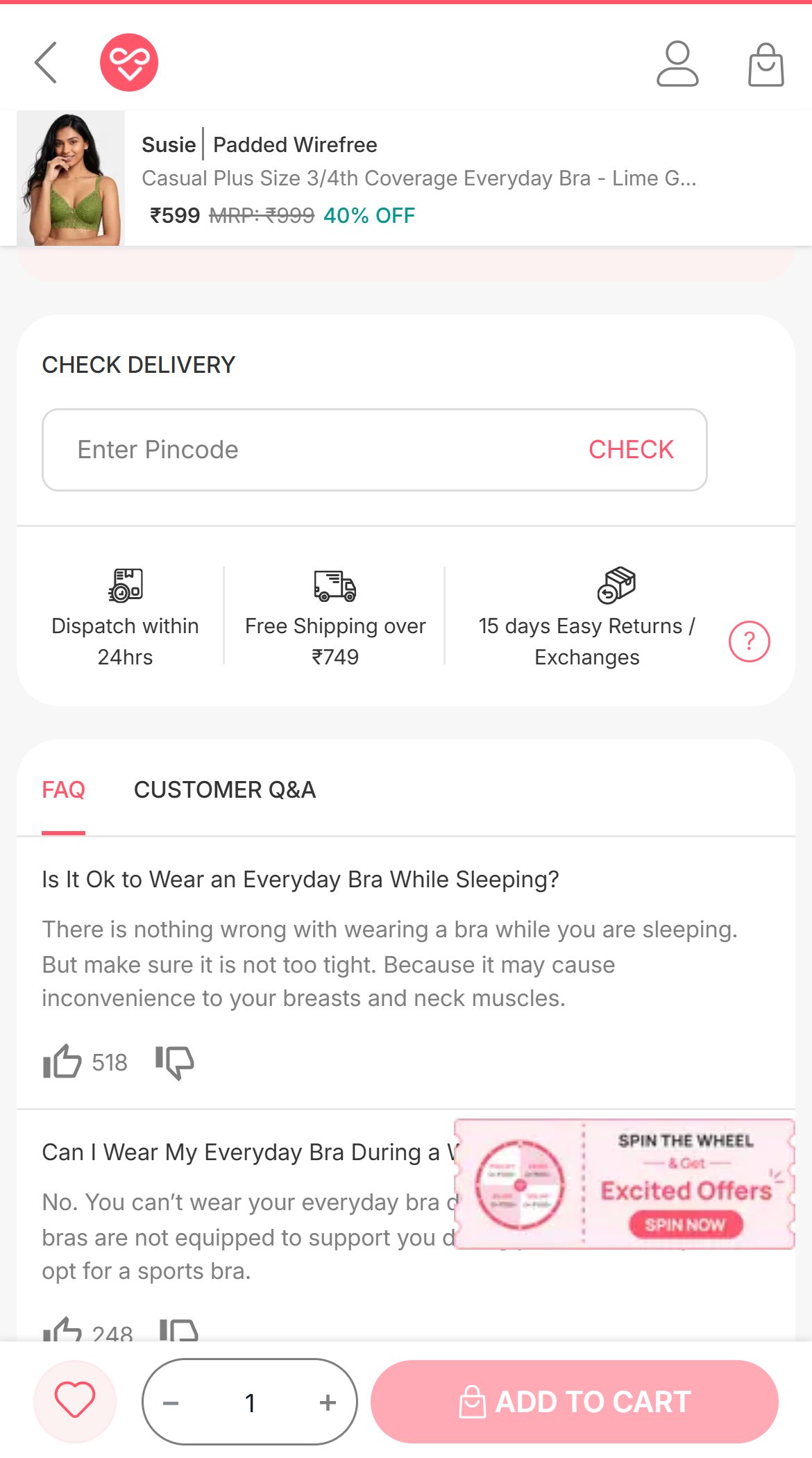
- The purchase area (price, colour, size, quantity, Add to Cart, Buy It Now) has no pincode field or delivery estimate.
- Delivery timing (2 to 4 days) exists only in the Shipping policy text, not as an answer tied to the shopper's location.
- Indian shoppers commonly check serviceability and delivery date before committing, especially for intimates that are hard to return.
- Add a Check delivery pincode field with an estimated delivery date and COD availability under the Add to Cart buttons.
- Remember the entered pincode across product pages so the check is a one-time step.
- Competitors already show delivery estimates on product pages.
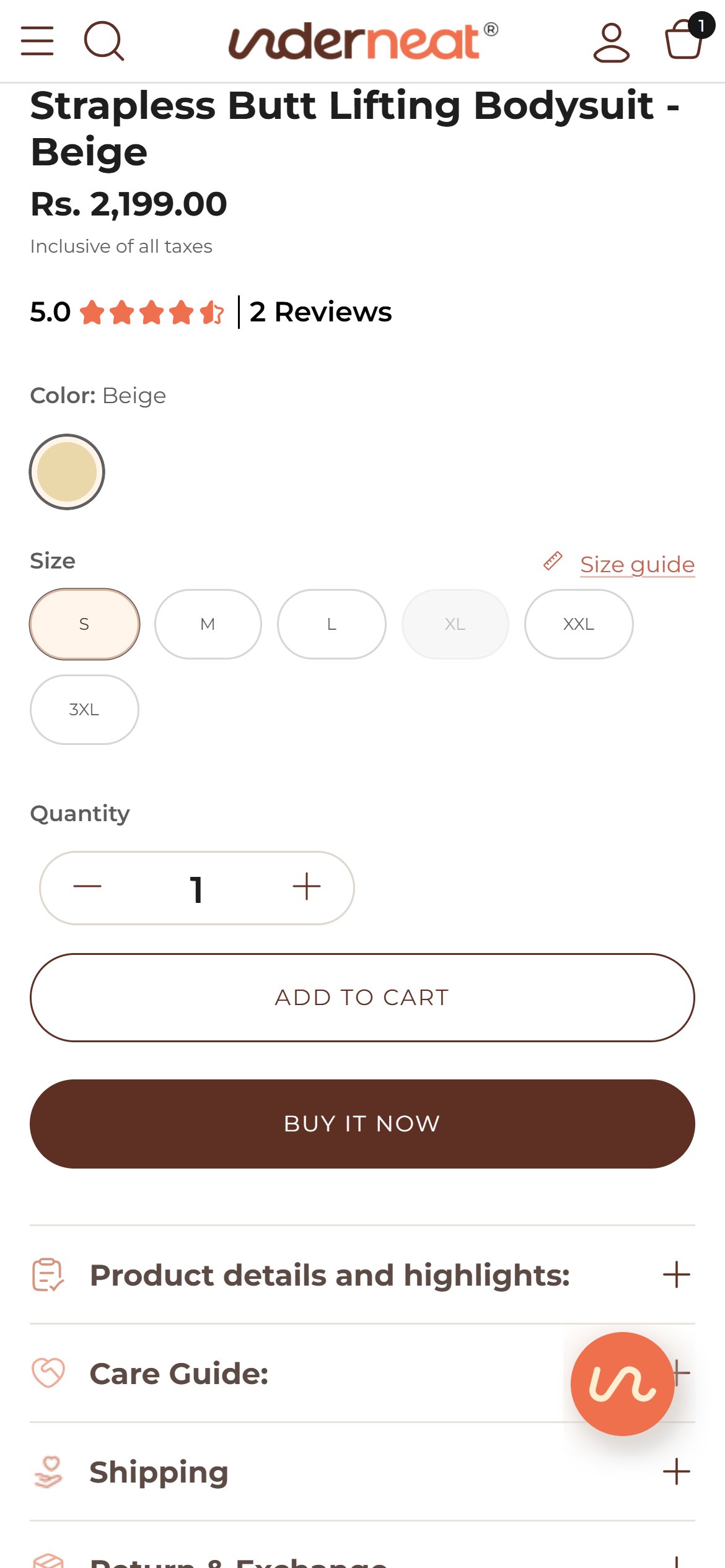
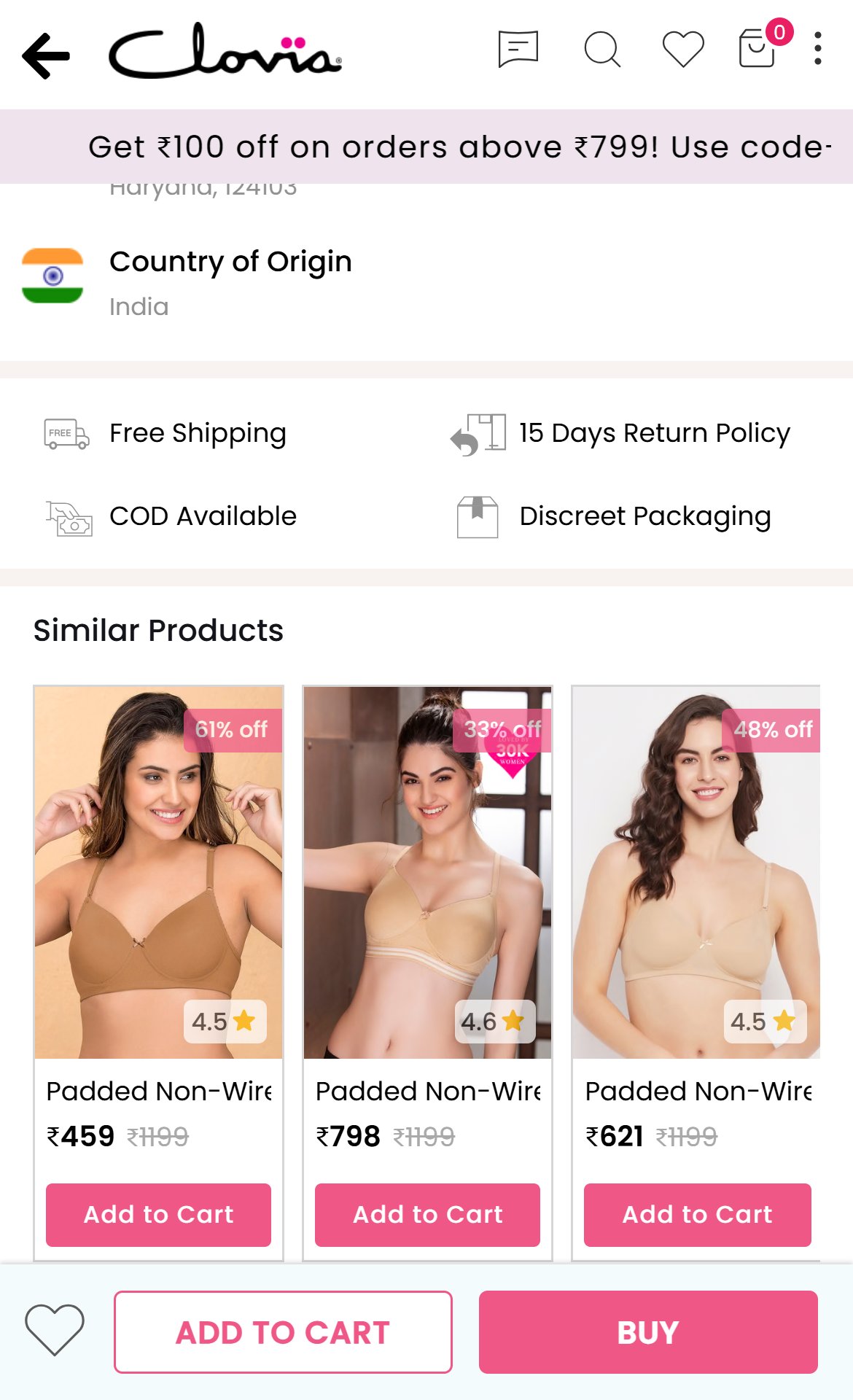
- From the price down past Add to Cart and Buy It Now there are no trust icons or guarantee lines — no COD, secure payment, discreet packaging or quality note.
- The reassurance that exists ('Certified quality', 'round-the-clock Support') lives on the homepage, not where the purchase decision is made.
- For intimates bought online, discreet packaging and payment safety are common hesitations that a short badge row answers instantly.
- Add a compact icon row under the buttons: Discreet packaging | Cash on Delivery | Secure payments | Made for Indian body types.
- Keep each badge to two or three words so the row stays on one line on mobile.
- Competitors already place trust badges directly under their purchase buttons.
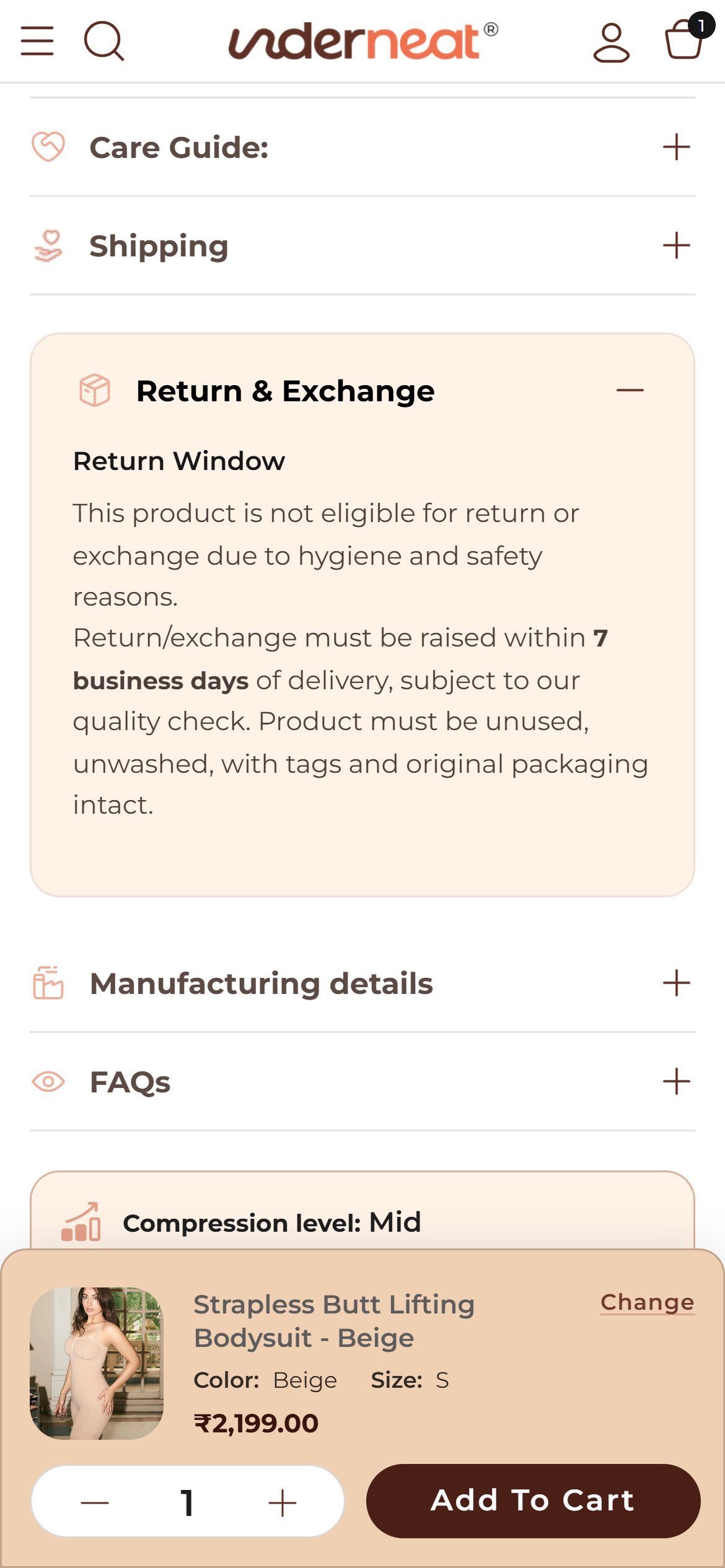
- The policy is only visible after tapping the collapsed 'Return & Exchange' tab below the buttons.
- Once opened it says the product is not eligible for return or exchange for hygiene reasons, then in the next line that a return/exchange must be raised within 7 business days — shoppers cannot tell which applies.
- Size uncertainty is the biggest worry when buying shapewear online, so an unclear exchange rule at the decision point is a direct reason to delay purchase.
- Write one unambiguous rule (for example, size exchange allowed within 7 days for unworn items with tags; returns not accepted for hygiene) and show it as a one-line note under Add to Cart.
- Link that line to the full policy and the Size Guide so the fit question and the exchange question are answered together.
- Competitors already state their exchange terms plainly beside the purchase buttons.
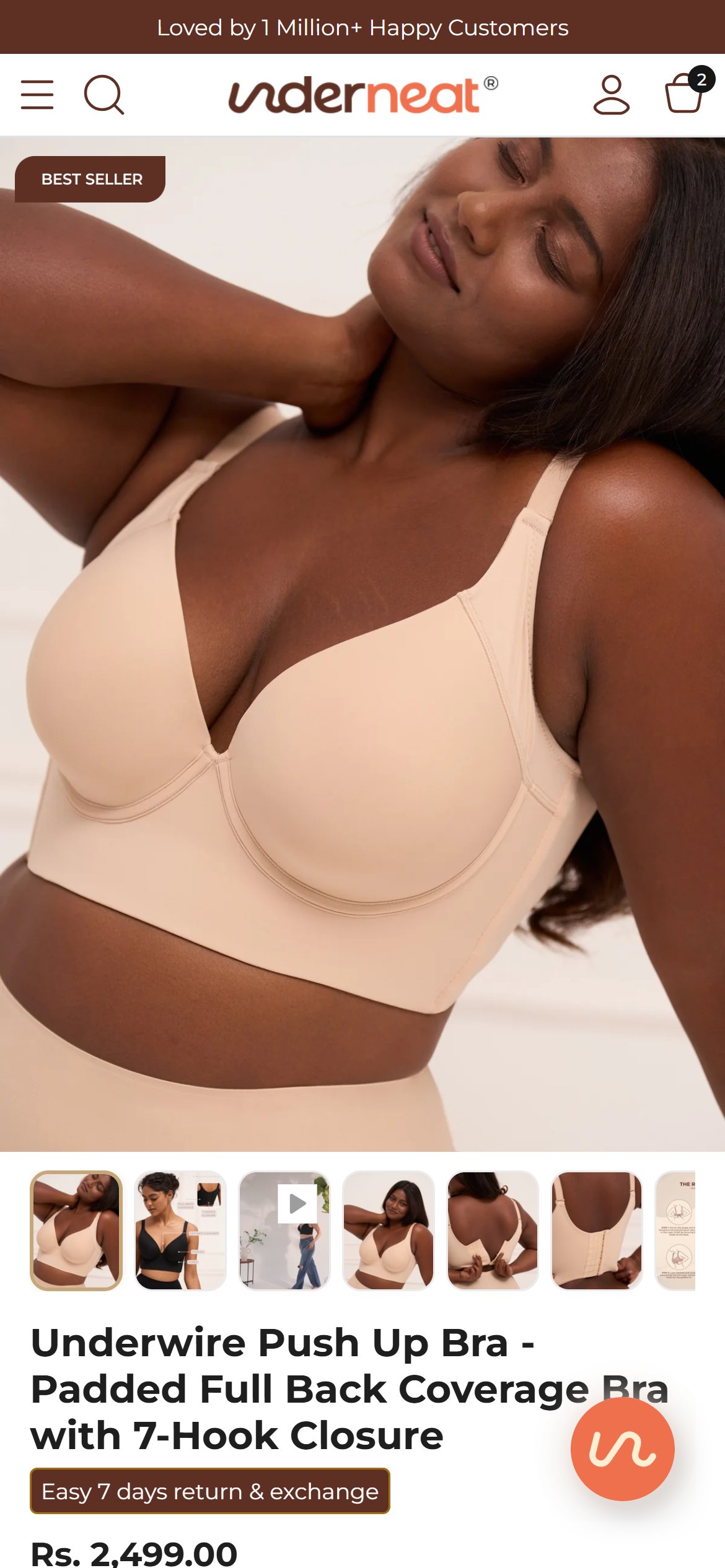
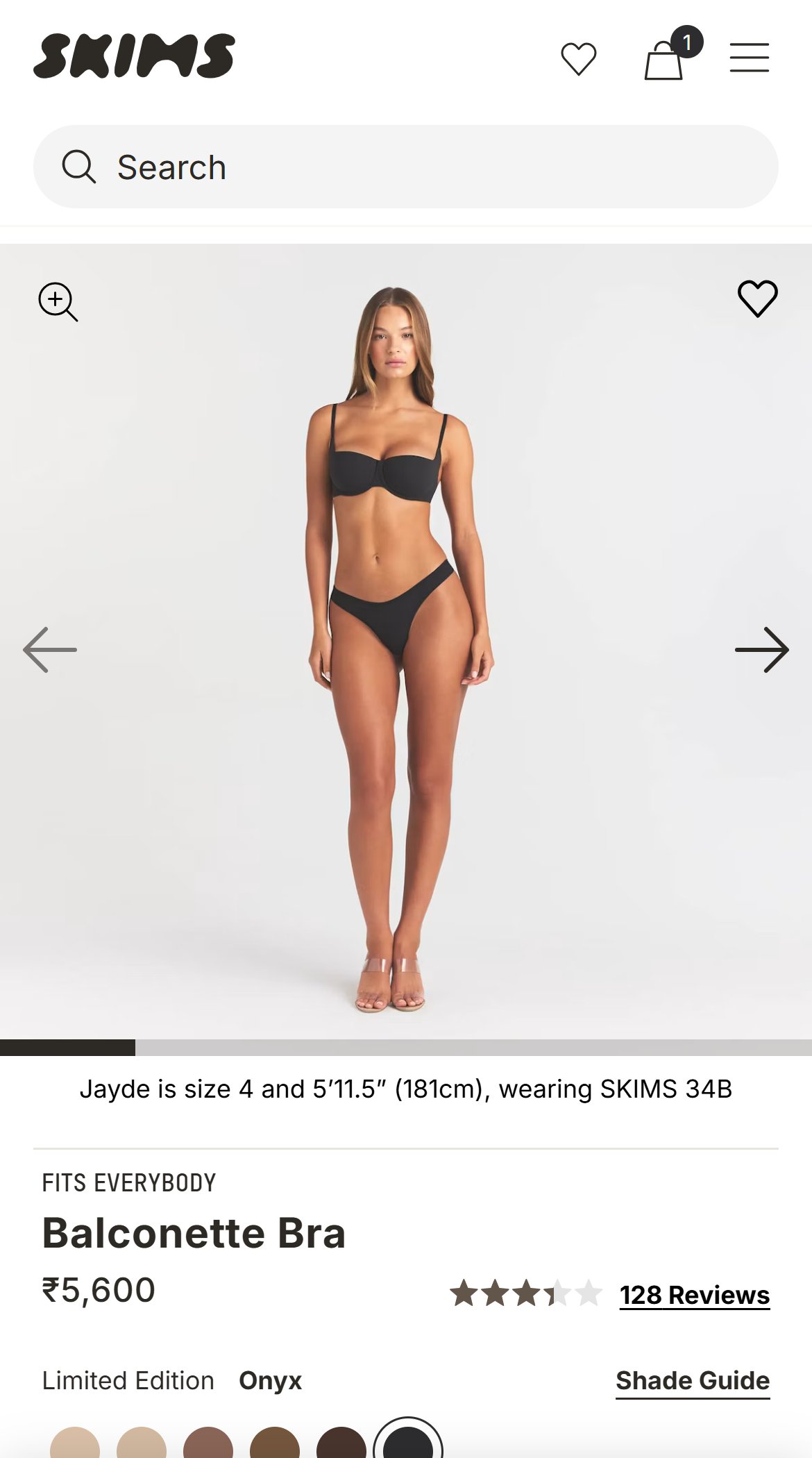
- On the Underwire Push Up Bra page the gallery image takes almost the whole first screen; the title starts at the bottom edge and the price is barely visible.
- The rating, colour, size selector and Add to Cart all sit below the first screen — Add to Cart begins about 1,286px down on an 844px-tall phone screen.
- Shoppers arriving from ads see a photo but not what it costs or how it is rated until they scroll, which weakens the first impression.
- Reduce the mobile gallery height (or use a 4:5 crop) so the title, price and star rating appear in the first screen beneath the image.
- Keep the thumbnails as small dots or a strip so the buy box rises further.
- Competitors such as Skims show the title, price and star rating within the first screen.
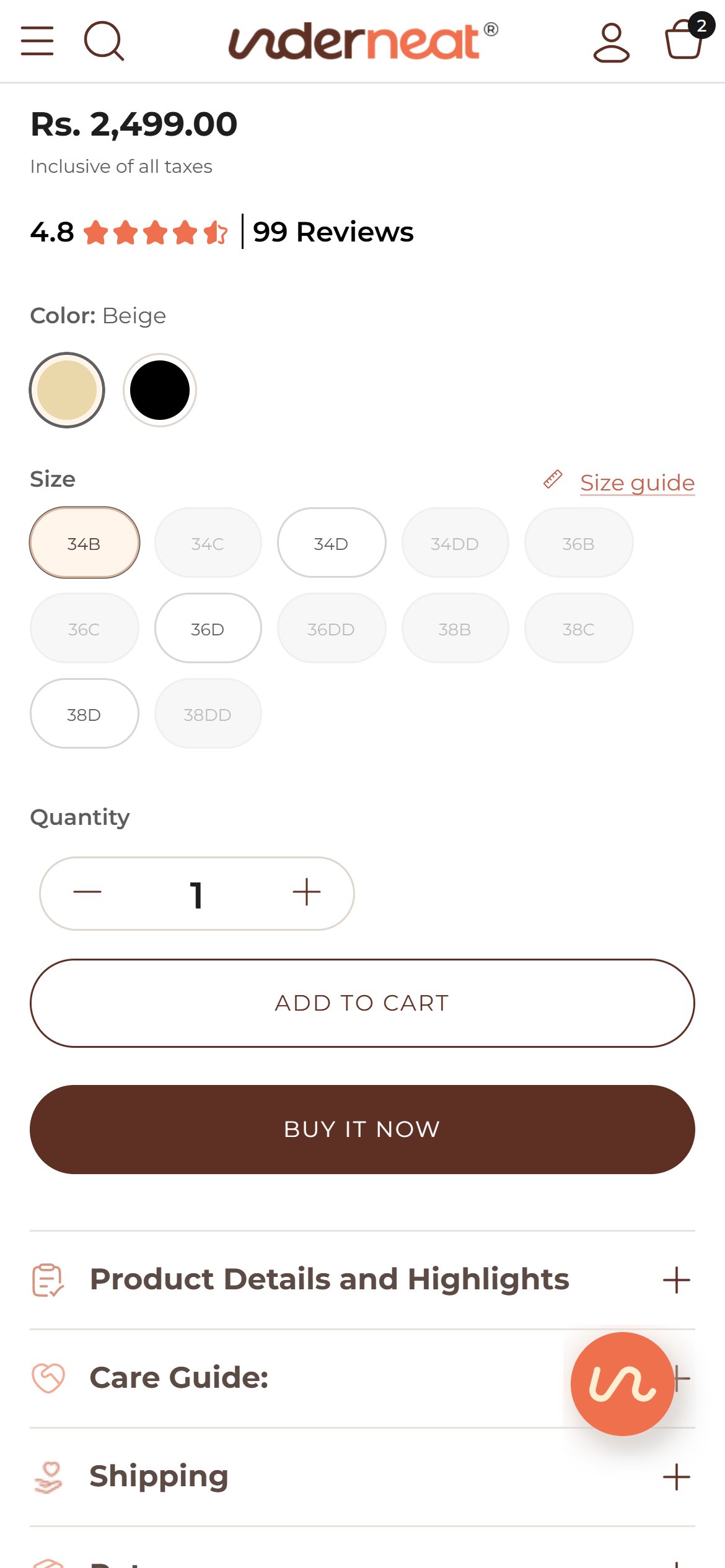
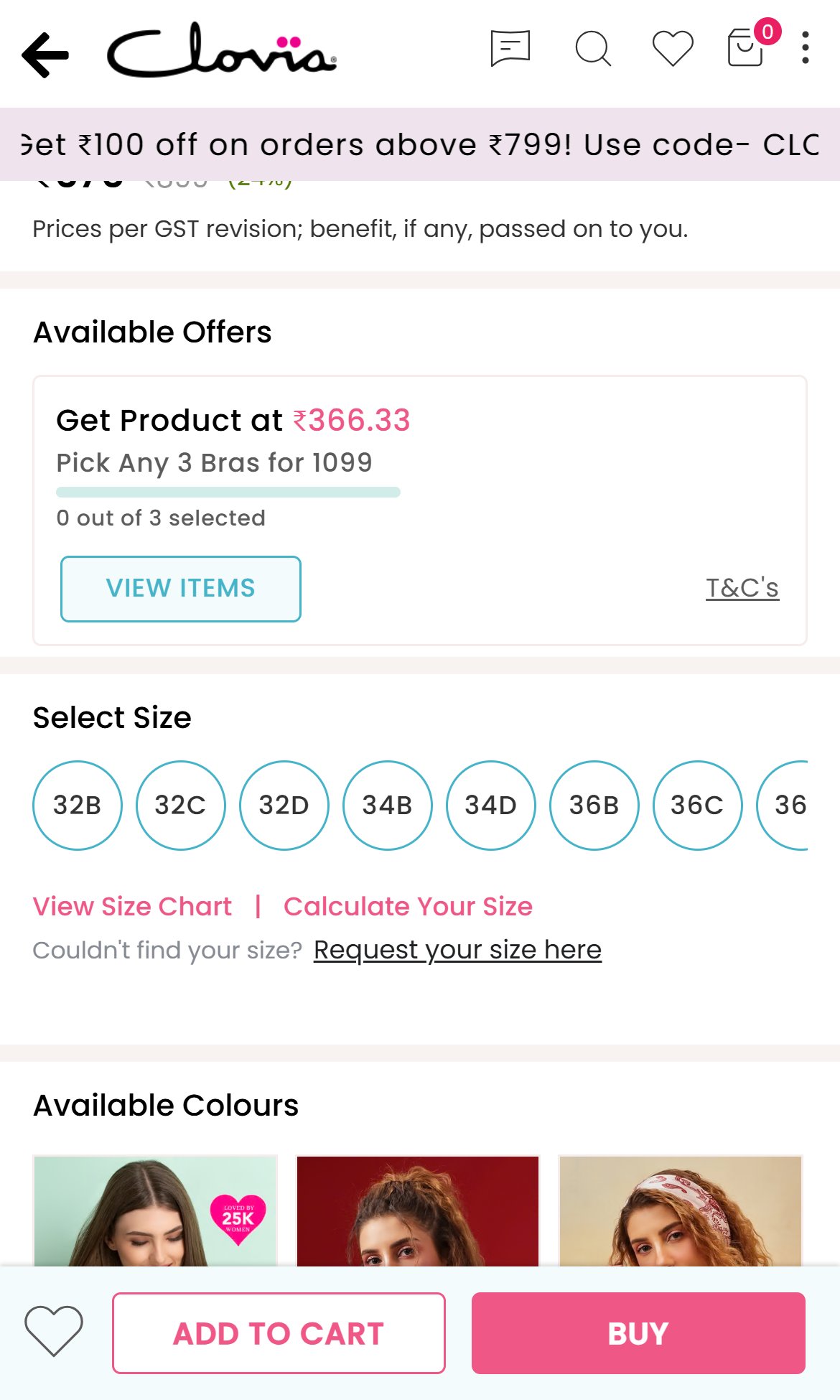
- The size row opens with 34B already selected, and the sticky bar repeats 'Size: 34B', so a shopper can add a bra without ever choosing a size — a direct route to wrong-size orders and exchanges.
- Sold-out sizes are shown as small greyed pills with no Notify Me or back-in-stock option; 17 of 24 variants of the Underwire Push Up Bra are sold out.
- The fit help that exists (a Bra Size Calculator inside the size guide) is reached only through a small 'Size guide' link beside the size label.
- The collection filters (Hide out of stock, Price, Color, Type, Material, Solution Area) offer no Size option either — 8 of 12 Everyday T-Shirt Bra and 8 of 12 Saree Shapewear variants are also sold out, so shoppers discover a missing size only after opening each product.
- Start with no size selected and show 'Select your size' on the buttons until one is chosen.
- Let shoppers tap a sold-out size to join a back-in-stock list (email or WhatsApp), capturing demand that is currently lost.
- Add a Size filter (band and cup for bras, S to 3XL for shapewear) to collection pages that returns only products in stock in the chosen size.
- Put 'Not sure? Find your size' with the calculator directly in the size row.
- Competitors such as Clovia ask shoppers to 'Select Size' with nothing pre-chosen and place 'View Size Chart | Calculate Your Size' right under the size options.
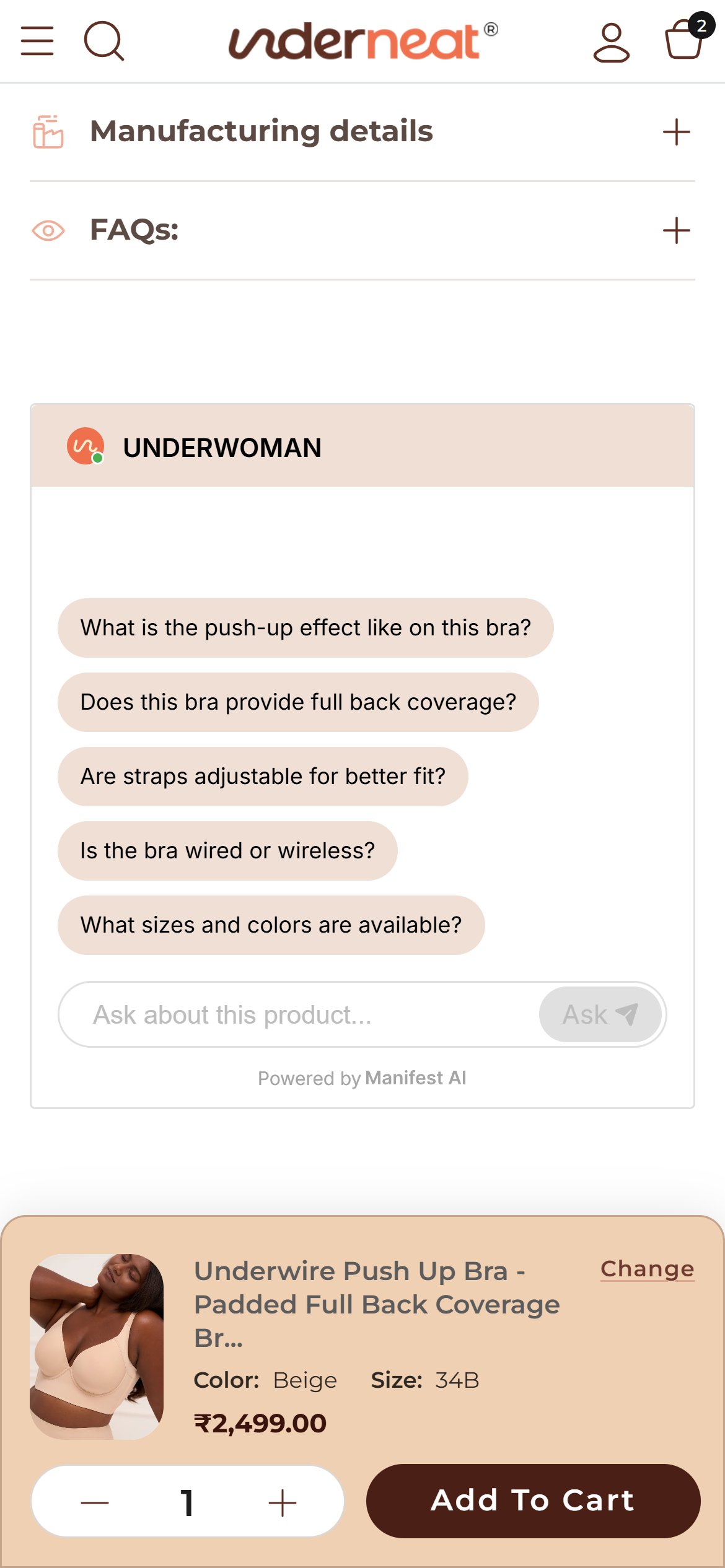
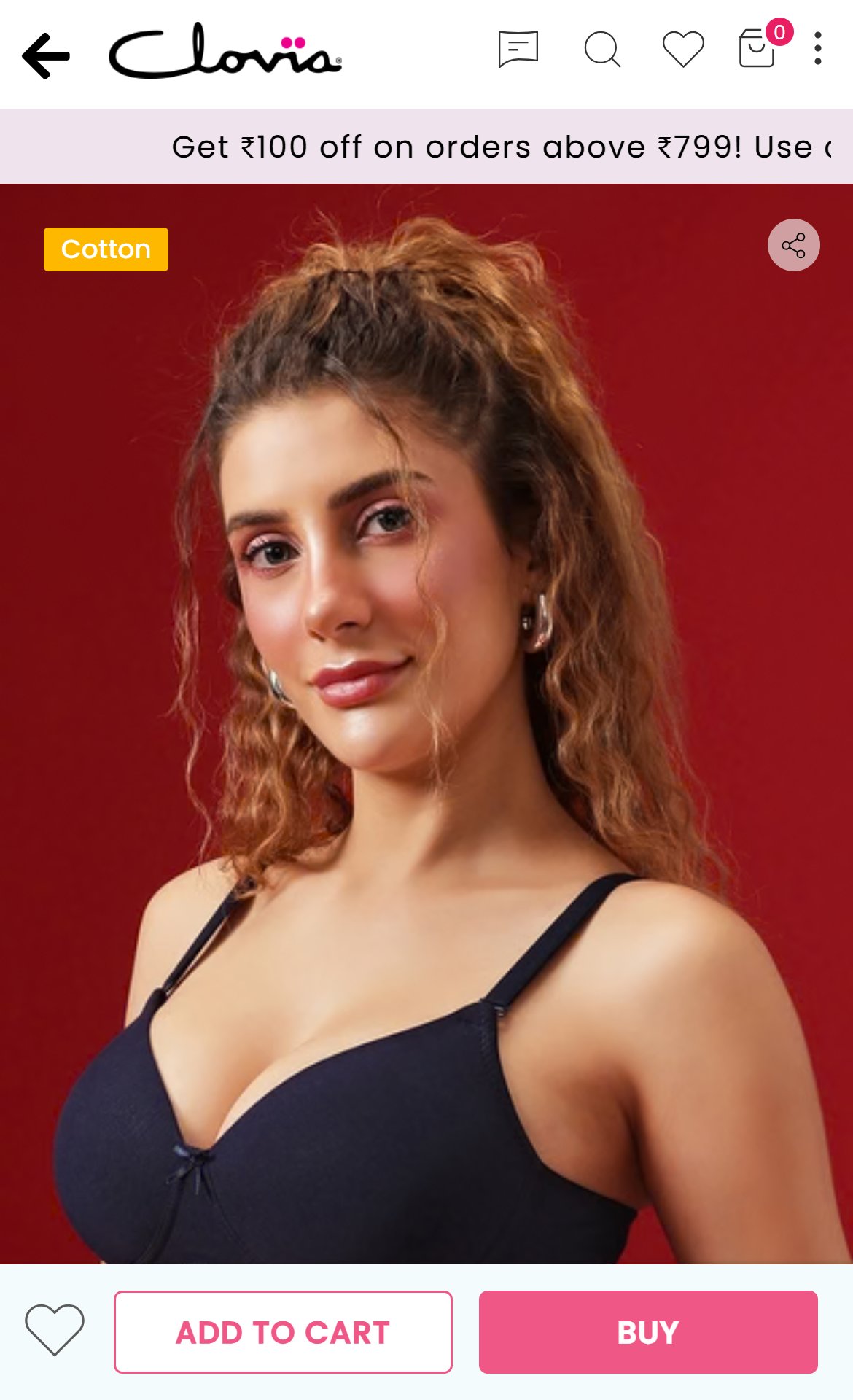
- Once the shopper scrolls, a sticky panel pins to the bottom with a product thumbnail, the full product name, colour, size and price on one row, and a quantity stepper plus Add To Cart on a second row.
- The panel takes a large share of the screen exactly while the shopper is reading details and reviews, and the chat bubble floats just above it.
- Because the panel repeats the pre-selected size, it also reinforces the wrong-size risk noted on the size row.
- Collapse the sticky bar to a single row: price on the left, Add to Cart on the right; open size selection in a sheet only if no size is chosen.
- Drop the quantity stepper from the sticky bar; it is rarely used for intimates.
- Competitors such as Clovia use a single-row sticky purchase bar.
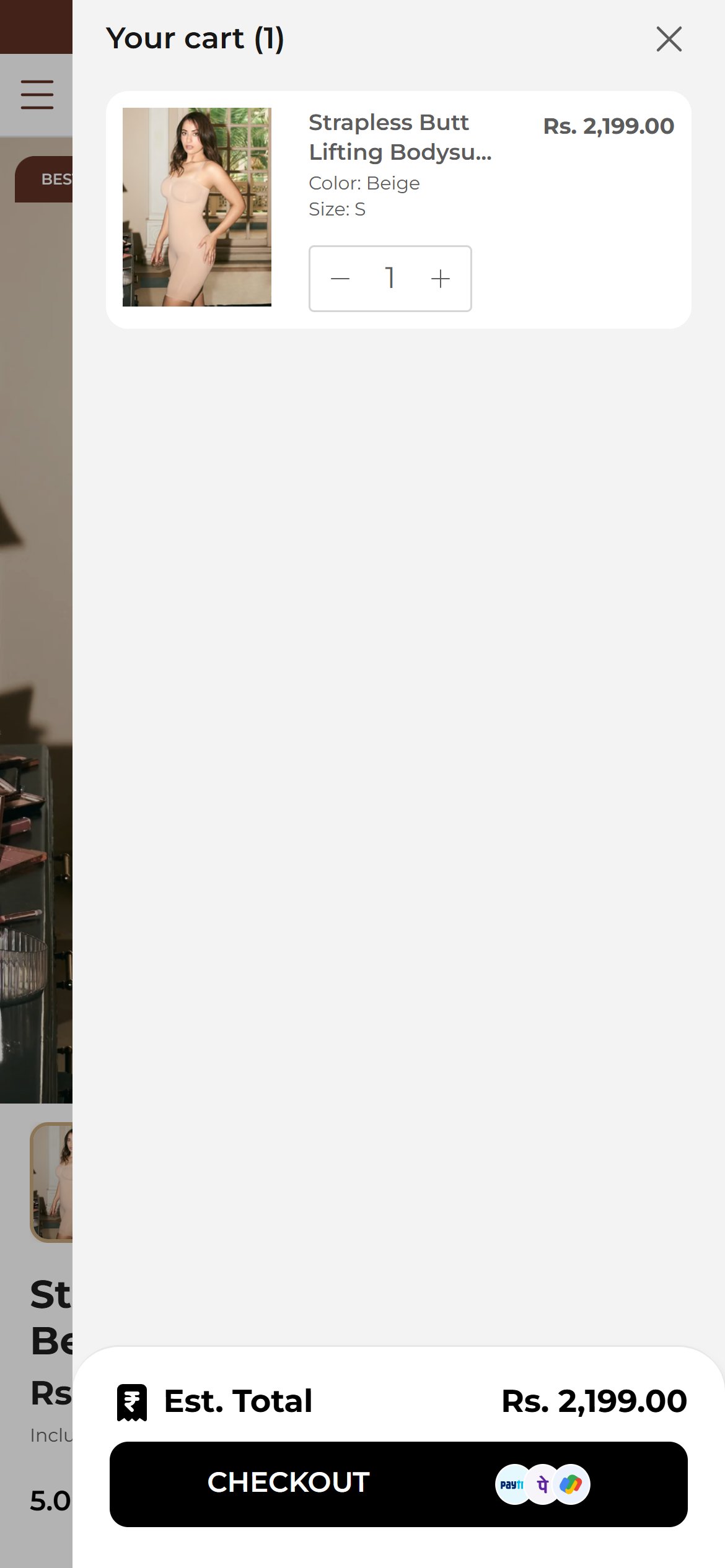
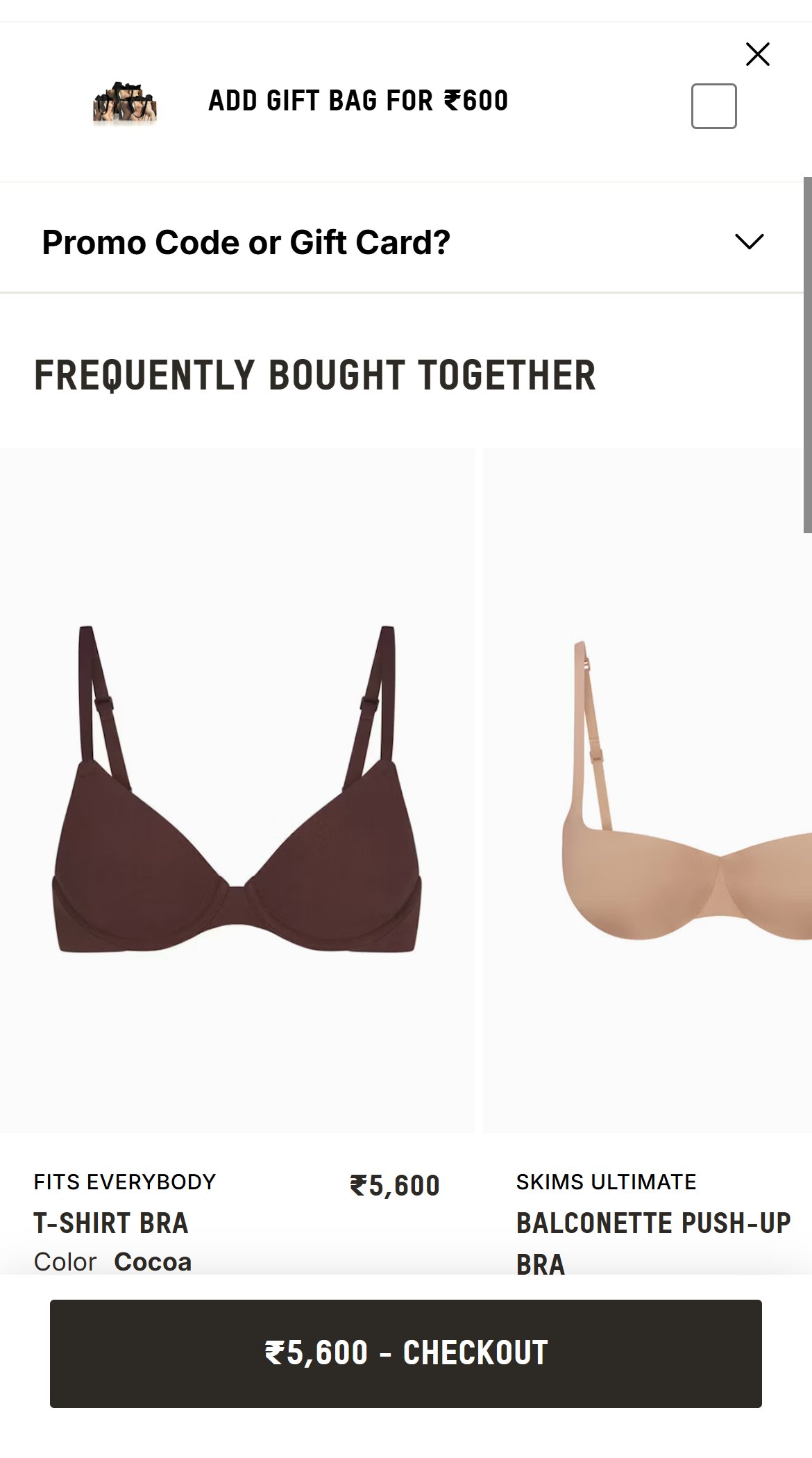
- After adding the bodysuit, the drawer shows only the line item, the Est. Total and the Checkout button; roughly two thirds of the drawer is blank.
- The theme's cart cross-sell block is present in the page code but is hidden, so shoppers never see a recommendation in the drawer or on the cart page.
- Intimates are a natural multi-item purchase (matching bra, shorts, second colour), so the drawer is the last easy chance to raise order value.
- Switch on the existing cart cross-sell and fill it with Complete the Set items (matching bra or shorts) with one-tap add.
- Place it between the line item and the Est. Total so it is visible without scrolling.
- Competitors already use the cart drawer to recommend complementary items.
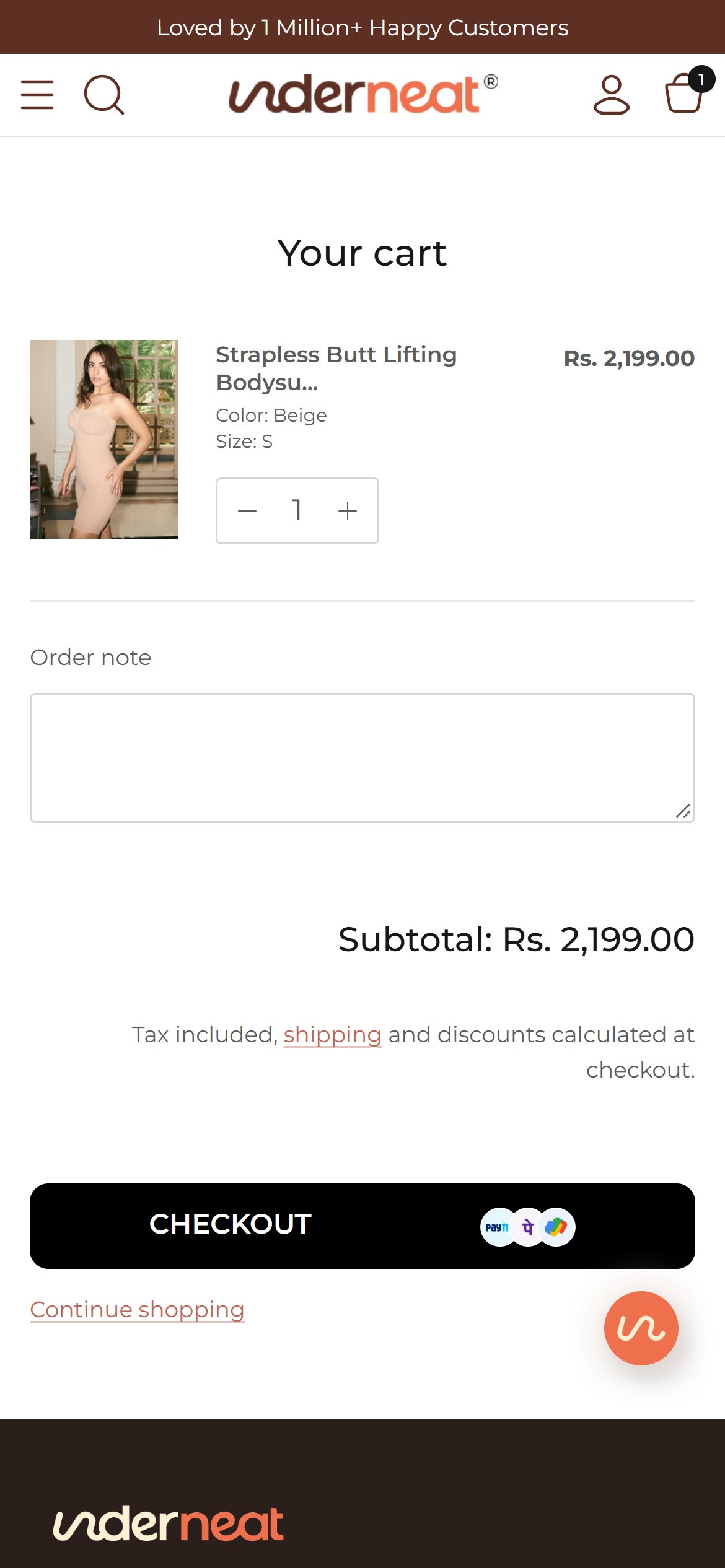
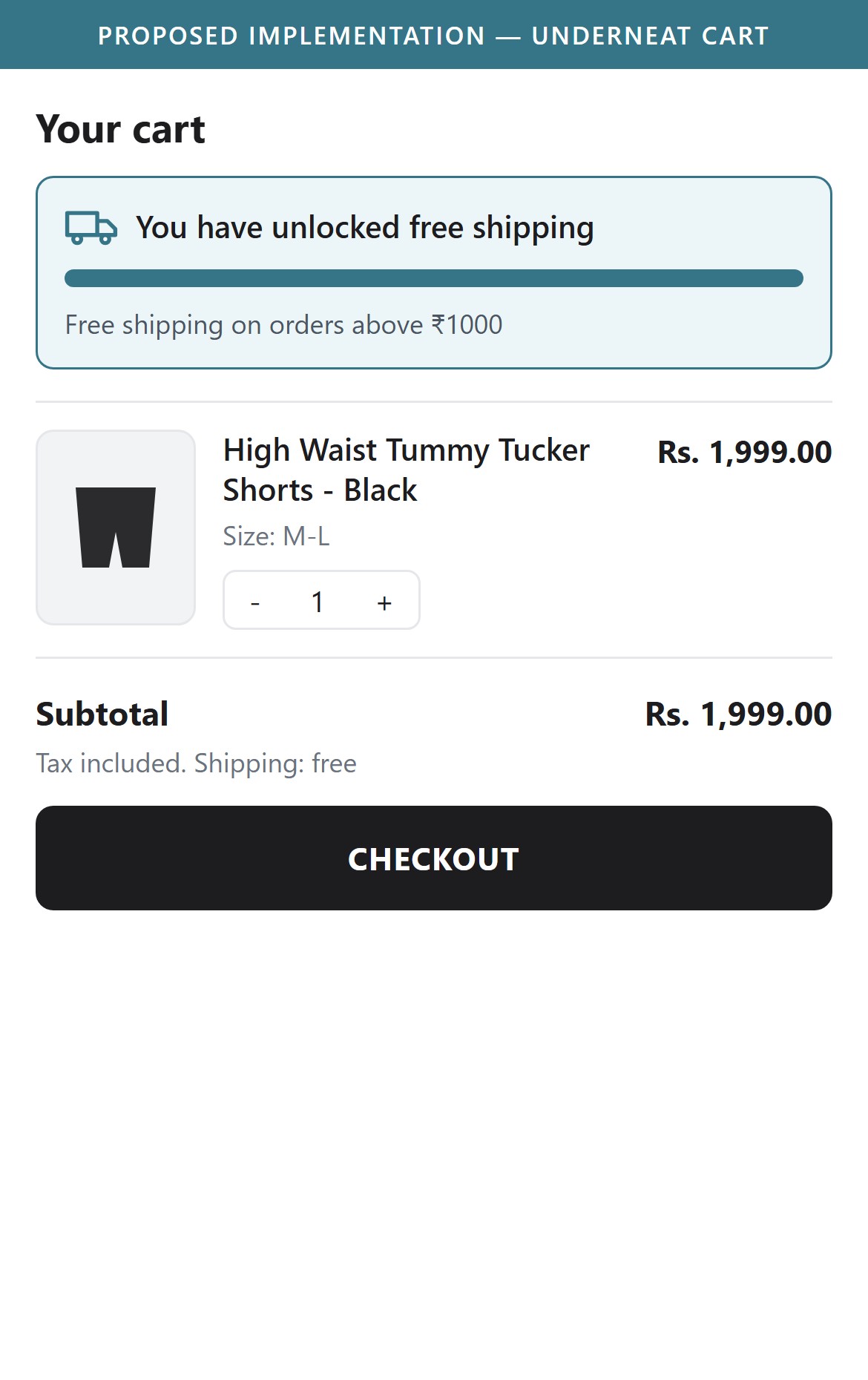
- The cart summary shows Subtotal and the note Tax included, shipping and discounts calculated at checkout; there is no free shipping message or progress bar.
- Underneat ships free on domestic orders above ₹1000, but the cart never confirms this to the shopper.
- Lower-priced items such as briefs sit close to the threshold, so a progress prompt can nudge an add-on item.
- Tested with the Strapless Butt Lifting Bodysuit (Rs. 2,199.00) and with the High Waist Tummy Tucker Shorts (Rs. 1,999.00) — both well above the ₹1000 line — and neither the drawer nor the cart page tells the shopper their shipping is free.
- With the Wireless Shaping Bra (Rs. 899.00) in the cart — ₹101 short of free shipping — the drawer shows only 'Est. Total Rs. 899.00' and Checkout, with no prompt to add ₹101 more.
- Replace the generic note with a message such as You have unlocked free shipping, or Add a little more for free shipping, with a progress bar.
- Pair the progress bar with a quick-add suggestion of a low-priced item that clears the threshold.
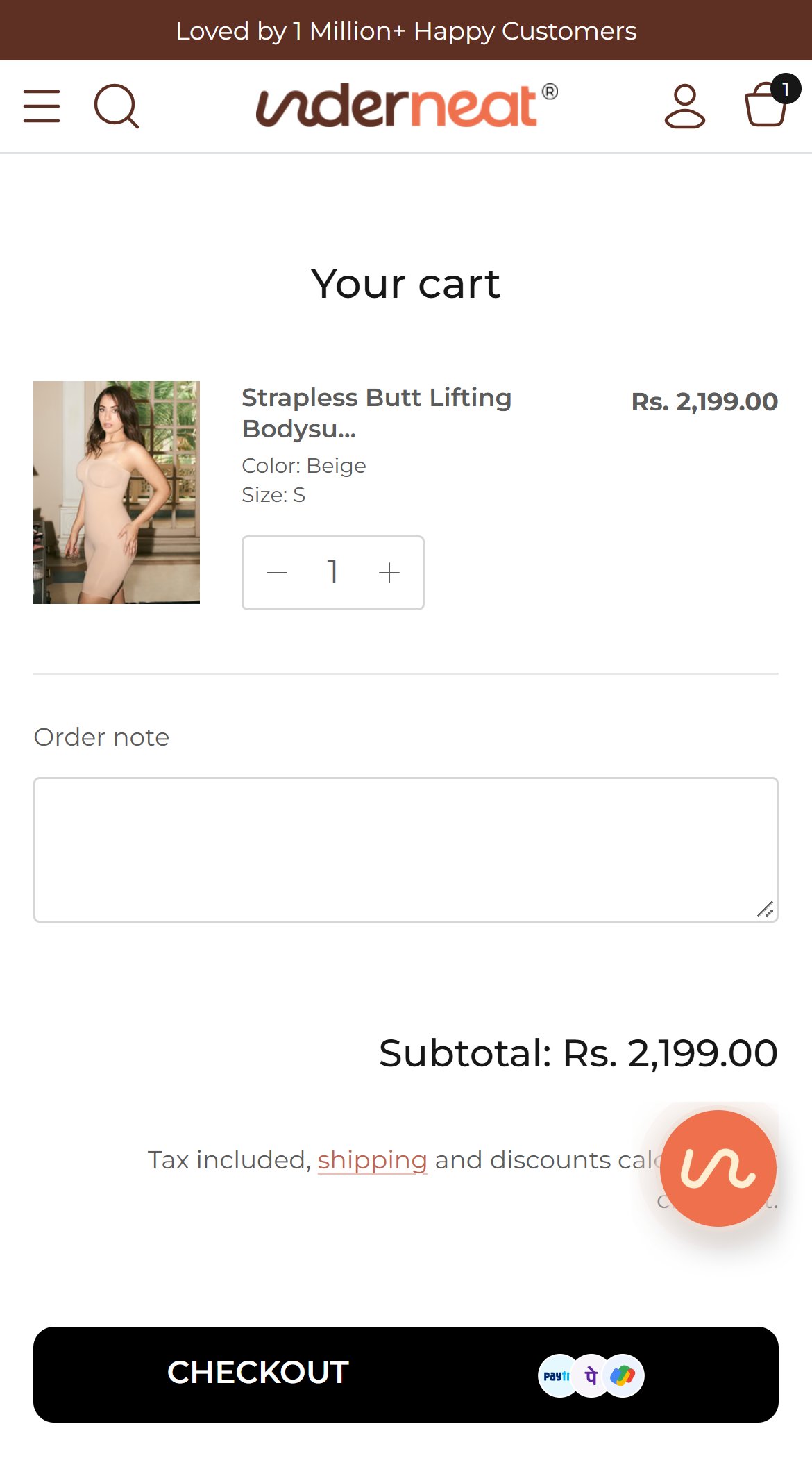
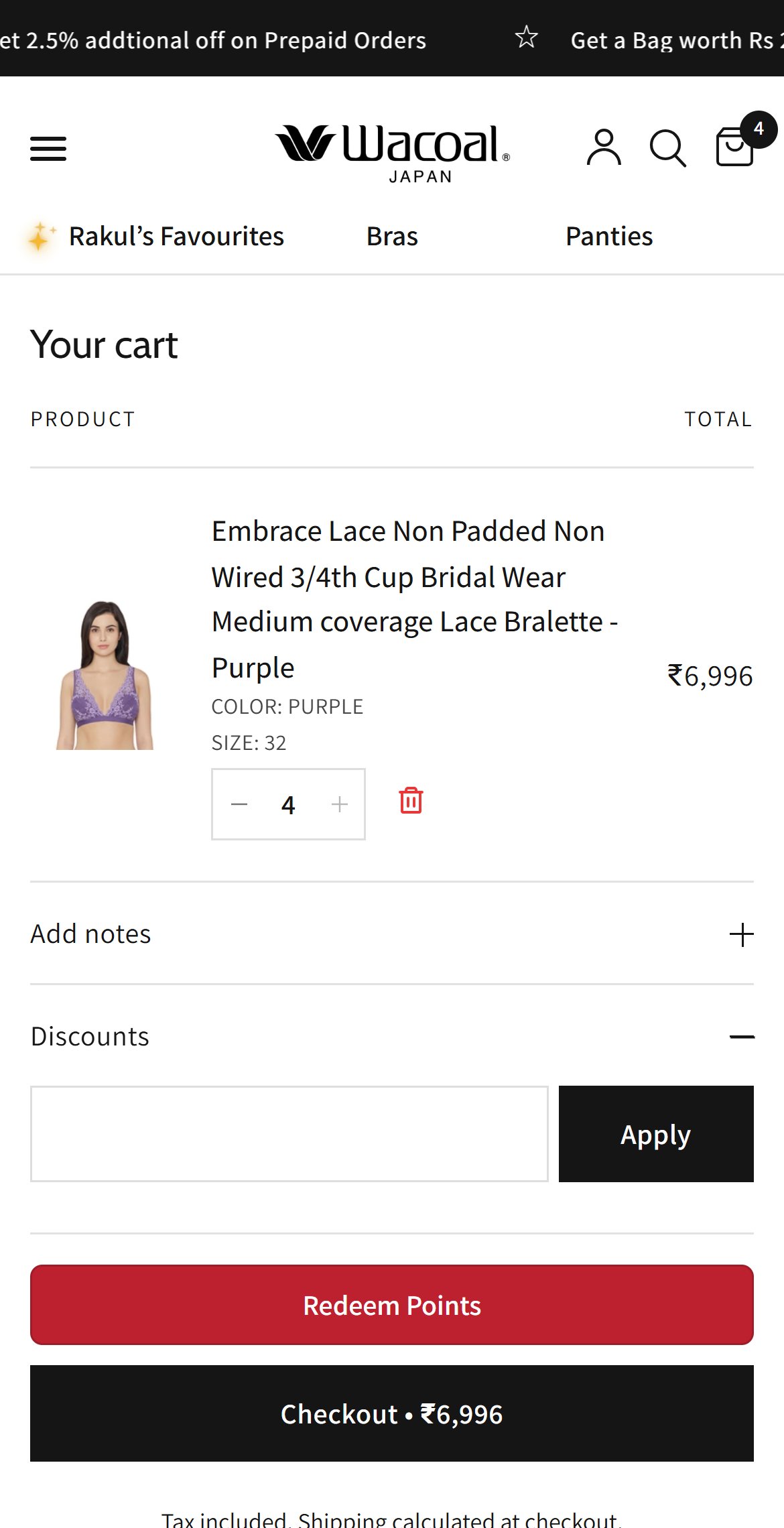
- The cart page offers an Order note box but no coupon or discount code input.
- The note under the total says discounts are calculated at checkout, so shoppers with a code must commit to checkout before knowing it works.
- Shoppers arriving from email, WhatsApp or influencer codes often leave to search for a working code when no field is visible.
- Add a collapsed Have a coupon code field above the total, showing the saving instantly once applied.
- List the active auto-applied offer or UnderClub reward next to it so shoppers can see what is available.
- Competitors already allow code entry in the cart.
App Ecosystem
What's installed vs what's missing from best-in-class Fashion & Apparel stores
Present (12)
Missing (3)
App Stack Assessment
Underneat has 12 apps covering reviews, loyalty, checkout, messaging and analytics. Reviews run through Nector (with leftover Judge.me references), and GoKwik handles checkout. The gaps are on the shopping path: delivery estimate, cart upsell with free shipping progress, and set-based recommendations.
Confidential — Prepared for Underneat by Growisto | October 2026